
Top 12 Best Backup Camera for Van You Can’t Miss!
Many van drivers have experienced the frustration of a backup camera that fogs up, delivers a blurry image, or disconnects at crucial moments. The best backup camera for van setups avoids these issues by providing a clear, reliable view of the area behind the vehicle, especially in tight parking spots or busy streets.
Cheaper models often cut corners on waterproofing or signal strength, which can lead to safety hazards and costly accidents.
A good backup camera for a van should be weather-resistant, typically rated at least IP67, meaning it can handle dust and water exposure even during heavy rain. The camera size and lens angle matter too, around 120 to 170 degrees gives a wide enough field of view without too much distortion.
Power supply compatibility and cable length are practical considerations; many cameras run on 12V and include long cables to reach the monitor inside the van, making installation smoother and safer.
Need a Quick Check?
| Image | Product | Price |
|---|---|---|
Our Top Picks 1  | Wireless 1080P Backup Cam | Check Price |
Our Top Picks 2  | 7.2″ 1440P Truck Camera | Check Price |
Our Top Picks 3  | Waterproof Wide Angle Cam | Check Price |
Our Selected Top 12 Backup Camera for Van You Can Trust
This list features reliable backup cameras designed specifically for vans, offering a variety of options to improve safety and visibility. Each review covers performance details, suitability for different van types, and highlights strong and weak points to help you make an informed choice.
1. Wireless 1080P Backup Camera
1080p resolution makes reversing clearer and safer for vans, plus the wireless setup means no messy cables. It suits those with vans who want easy installation and a clear, wide view to avoid blind spots, especially handy in busy parking or tight spaces.
Setup feels like a breeze with the magnetic mounting base that sticks firmly and protects your paint. It takes just a minute to attach, without tools or drilling.
The 7-inch LCD screen plugs in via USB and delivers a wide 170-degree angle, making it simple to see around the back of your van any time of day or night.
Picture quality improves significantly thanks to built-in image processing, helping visibility in low light with HD night vision. The camera is built tough, enduring harsh weather and extreme heat or cold without losing grip. The main plus is how secure and quick the magnetic mount is, though a few mention the screen’s brightness can struggle under direct sunlight.
Many enjoy how simple and fast the magnetic mounting system is, making installation nearly tool-free and safe for paint. The most frequent complaint involves the screen’s visibility in very bright sunlight, where glare lowers clarity. Night vision and image quality receive positive remarks for improving backup safety.
This is a great choice for people with vans looking for a reliable, wireless backup camera that installs without hassle. Those who often park in bright, sunny environments and want a brighter screen might want to explore other options with higher screen brightness or anti-glare features.
Pros
- Quick 1-minute magnetic installation
- Clear 1080p HD video both day and night
- Wide 170-degree viewing angle
- Durable in extreme temperatures
Cons
- Screen brightness can be dim in direct sunlight
- Only fits 12-volt systems
| Specification | Details |
|---|---|
| Screen Size | 7 inches |
| Video Capture Resolution | 1080p |
| Field Of View | 170 degrees |
| Voltage | 12 volts |
| Connector Type | USB |
2. 7.2 1440P Truck Backup Camera
Perfect for anyone driving a van, RV, or trailer who needs a clear, wide-angle view while backing up. The biggest strength is the 7.2-inch 1440P HD screen delivering sharp images with real-time smoothness, making it easier to spot obstacles and read license plates in all lighting conditions.
Set up involves wireless connection to a compatible monitor, which keeps installation hassle low. A 150-degree wide-angle lens offers a broad field of vision, and the anti-glare sunshade ensures the screen stays readable even in bright sunlight. Night vision up to 33 feet lets you back up confidently in low light, whether at dusk or inside dim warehouses.
The camera consistently shows detailed video with a fast 75FPS refresh rate, reducing lag to nearly zero. It’s designed with quality parts like a BSI CMOS sensor and an F/1.4 aperture to perform well in the dark.
The screen size feels just right, not too big or small. Common praise focuses on the crystal-clear display, while some find the wireless connector occasionally tricky to maintain stable.
The most praised feature is the crystal-clear 1440P video and smooth refresh rate that helps with backing up in all light conditions. The most common complaint involves occasional issues keeping the wireless connection steady, which can affect reliability.
Drivers needing a sharp, wide view day or night will appreciate it. Those wanting a larger screen or a fully wired setup might want to explore other options.
Pros
- Clear, high-resolution 1440P HD video
- 75FPS zero-lag smooth viewing
- Effective night vision up to 33 feet
- Anti-glare sunshade on screen
Cons
- Wireless connection sometimes unstable
- Screen size may be small for some users
| Specification | Details |
|---|---|
| Screen Size | 7 inches |
| Video Capture Resolution | 1440p |
| Field Of View | 170 degrees |
| Real Angle of View | 150 degrees |
| Voltage | 12 volts |
| Connector Type | wireless |
3. Waterproof Wide Angle Rear View Camera
Waterproof Wide Angle Rear View Camera fits vans perfectly, especially for those wanting a clear, wide-angle view behind their vehicle. Its biggest strength is the waterproof design that prevents fog or mist inside, making it reliable in all weather conditions.
Setting up requires buying a separate harness if you want to connect it to a factory screen or radio, which adds a step but ensures compatibility with many brands using a female RCA connector. Day-to-day use benefits from the wide 160 to 170-degree viewing angle, making parking and reversing safer by showing blind spots clearly on your screen.
The camera delivers crisp 720p video thanks to the HD 600TVL image sensor. Encased in a metal housing, it feels sturdy and small enough to blend in well. Most people appreciate how well it holds up to weather, but some mention needing an additional harness slows the installation.
Users value how the camera stays clear and dry inside when faced with rain or mist, ensuring steady image quality. The need to purchase a separate harness for installation with some factory units is the most frequent downside mentioned.
Those looking for reliable durability and wide viewing angles will appreciate this camera, especially when pairing it with aftermarket head units. Vans with factory systems might find installation extra work and could consider cameras with included harnesses for easier setup.
Pros
- Strong waterproof design prevents fog or moisture inside
- Wide 160-170 degree viewing angle for better visibility
- Metal housing offers solid durability
- Compatible with many popular stereo brands
Cons
- Separate harness needed for factory screen connection
- Effective still resolution only 576 pixels
| Specification | Details |
|---|---|
| Voltage | 12 volts |
| Optical Sensor Size | 1/2.7 inches |
| Field Of View | 170 degrees |
| Video Capture Resolution | 720p |
| Connector Type | RCA |
4. Wireless 1080P Backup Camera System with 7 Monitor

Wireless 1080P Backup Camera System with 7 Monitor is designed for van drivers who want a clear and reliable view behind their vehicle. Its biggest strength lies in the high-definition 1080P picture that helps make reversing safer and easier, especially in tight spots or busy areas.
Setup is very straightforward and quick. The monitor plugs directly into the cigarette lighter and starts working right away.
It offers two wiring options: one that turns the camera on only when reversing, and another that keeps it always on while driving. The wireless connection stays strong even at highway speeds, so watching the monitor feels consistent without sudden picture breaks.
The camera delivers a crisp image on its 7-inch IPS screen with an extra-wide 149-degree field of view. The CCD sensor performs well even in low-light conditions. The build seems solid for outdoor use, though some mention the wireless signal might occasionally drop in very congested areas.
Most appreciate the easy installation and clear picture quality the most.
The camera system’s standout feature is its crisp, clear 1080P video on a bright 7-inch screen that greatly helps when backing up. Wireless signals can occasionally drop in highly crowded environments, which is the main limitation.
Vans frequently driving at highway speeds or needing easy installation will find this system very convenient. Drivers requiring a more permanent power option or signal in densely crowded wireless zones might want to consider alternatives.
Pros
- Clear 1080P image with wide viewing angle
- Quick 2-minute monitor installation
- Strong wireless signal up to 70 mph
- Automatically turns on when reversing
Cons
- Wireless signal may drop in very crowded areas
- Monitor powered only via cigarette lighter
| Specification | Details |
|---|---|
| Screen Size | 7 inches |
| Voltage | 12 volts |
| Field Of View | 149 degrees |
| Video Capture Resolution | 1080p |
| Connector Type | wireless |
5. WOLFBOX G840S 12 4K Mirror Dash Cam with GPS

Using a 12 mirror dash cam with crystal-clear 4K UHD upfront video makes reversing a van feel much safer. Designed for vans, trucks, and buses needing a reliable way to cut blind spots, the large screen combined with a rear 1080p camera offers a great wide-angle view right where you need it most.
Installation involves mounting it over the rearview mirror, which fits snugly without obstructing sight. The touchscreen makes controlling settings simple on the go.
Real-time GPS tracking and built-in WiFi allow connecting to your phone instantly for live viewing or video playback. Parking monitor and reverse assist give helpful alerts whenever backing up or parked, keeping daily drives more confident.
Video quality is impressive with a 2160p front camera and a 170-degree field of view, capturing details well in daylight and at night thanks to night vision. The build is solid, integrating a supercapacitor for better reliability over batteries. A common praise is the clarity and size of the display, while some find the USB-only connectivity limiting compared to wireless setups.
The biggest advantage is the superb video clarity combined with a large mirror display that improves visibility while reversing. On the downside, users often note the USB connection can be less flexible compared to fully wireless cameras, and some wish the rear camera matched the front in resolution.
Drivers who prioritize image quality and a bigger screen will appreciate this mirror dash cam, especially for larger vehicles where backing up safely is crucial. Those seeking fully wireless setups or higher rear camera resolution might want to explore other options.
Pros
- Large 12″ display reduces blind spots substantially
- 4K front camera captures clear, detailed footage
- External GPS antenna shows real-time location data
- Touchscreen controls are responsive and easy to use
Cons
- USB connectivity only limits some wireless convenience
- Rear 1080p camera lower resolution than front
| Specification | Details |
|---|---|
| Video Capture Resolution | 2160p |
| Screen Size | 12″ |
| Field Of View | 170 degrees |
| Connectivity Technology | USB |
| Mounting Type | Rearview Mirror Mount |
| Special Features | Built-In GPS, Night Vision, Parking Monitor |
6. HD 1080P Night Vision Backup Camera
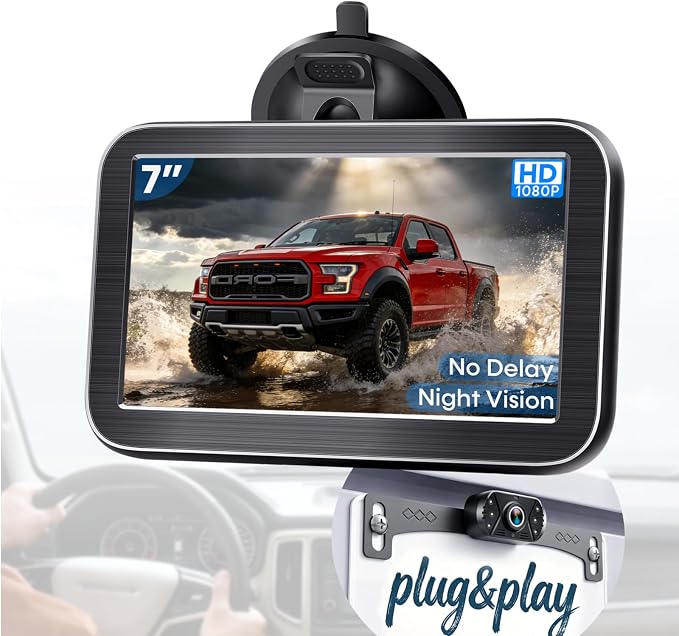
Clear night vision and a large HD screen make this backup camera well-suited for vans, trucks, or RVs that often park in low-light conditions. Its biggest advantage is the 10M full-color night vision, which gives clear visibility in total darkness, improving safety when backing up at night.
Setup involves connecting the camera via USB to its 7-inch 1080P monitor, which delivers a wide 150° field of view. The image shows a realistic depth to spot obstacles clearly.
The monitor size offers 96% more viewing area compared to smaller screens, making it easier to judge distances without distortion. This is especially helpful for vans maneuvering in tight or dark spaces.
It performs well with vivid colors in night vision and delivers sharp images during the day. The build quality is solid and designed for a 12V system typical of vans and trucks.
The strongest praise highlights the sharp, full-color night view, while the most common complaint involves the USB connector, which some find less convenient than more standard cables.
Clear, colored night vision gets high praise for improving safety in the dark, while the USB connector type draws frequent complaints due to compatibility concerns. The image quality and wide field of view are noted as strong points in daily use, especially for dark garage parking or nighttime backing.
Those looking for accurate obstacle detection during night drives will appreciate this camera. Vans and trucks often parked in dimly lit areas benefit the most. Anyone wanting a simpler plug-and-play unit might want to explore alternatives with more common connectors or integrated systems.
Pros
- 10M full-color night vision ensures clear nighttime viewing
- 7″ 1080P monitor offers 96% more viewing area
- 150° wide angle gives a realistic depth perception
- Quicker identification of obstacles with upgraded sensors
Cons
- USB connector less standard for vehicle wiring
- May require professional help for installation
| Specification | Details |
|---|---|
| Screen Size | 7 inches |
| Voltage | 12 volts |
| Lens | Wide Angle |
| Real Angle of View | 150 degrees |
| Video Capture Resolution | 1080p |
7. 7 Wireless 1080P Truck Backup Camera
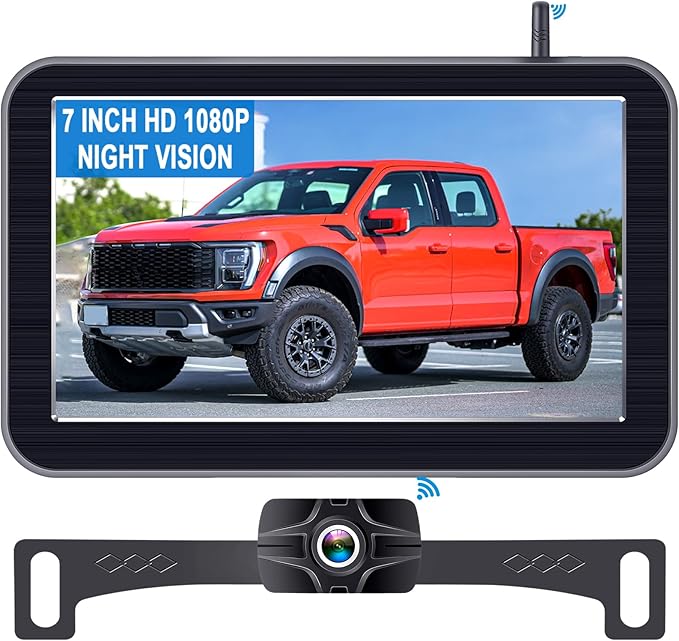
Plastic casing and wireless connectivity make this backup camera a simple, solid choice for vans and pickup trucks. Best suited for those who want clear 1080P video and a quick install without complex wiring.
The biggest strength is the pre-paired wireless system that connects the camera and monitor via Bluetooth automatically.
Installation takes about 15 minutes by hooking the camera’s power to the reverse or running lights. No need to mess with complicated connections since the monitor only needs power from the vehicle.
Day-to-day use stays straightforward with a 7-inch screen showing a wide 150-degree view, making reversing and parking easier, especially for busy drivers.
The 1080P HD video quality is crisp on the LCD screen, helping spot obstacles clearly. Build is practical with a 1/3 inch CMOS sensor that handles outdoor conditions well.
Main compliments focus on the wireless setup’s convenience and picture clarity, while some mention a short powering wire for the camera as a drawback.
The wireless system’s pre-pairing stands out for easy installation and use, receiving praise for clear, reliable 1080P images. However, the short power wire for the camera keeps some users from an ideal setup depending on mounting position.
Drivers looking for a reliable backup camera that delivers a sharp image and fits a standard license plate mount for their van or pickup will appreciate this product. People requiring longer power cables or non-standard mounting may want to consider other options.
Pros
- Quick setup within 15 minutes without extra wiring
- Clear HD 1080P video quality for reversing
- Wide 150-degree field of view
- Wireless connection via pre-paired Bluetooth
Cons
- Camera power wire length can be limiting
- Compatible mainly with standard license plate mounts
| Specification | Details |
|---|---|
| Screen Size | 7 inches |
| Video Capture Resolution | 1080p |
| Field Of View | 150 degrees |
| Connector Type | wireless |
| Voltage | 12 volts |
8. 2K Backup Camera Kit with 7 Monitor
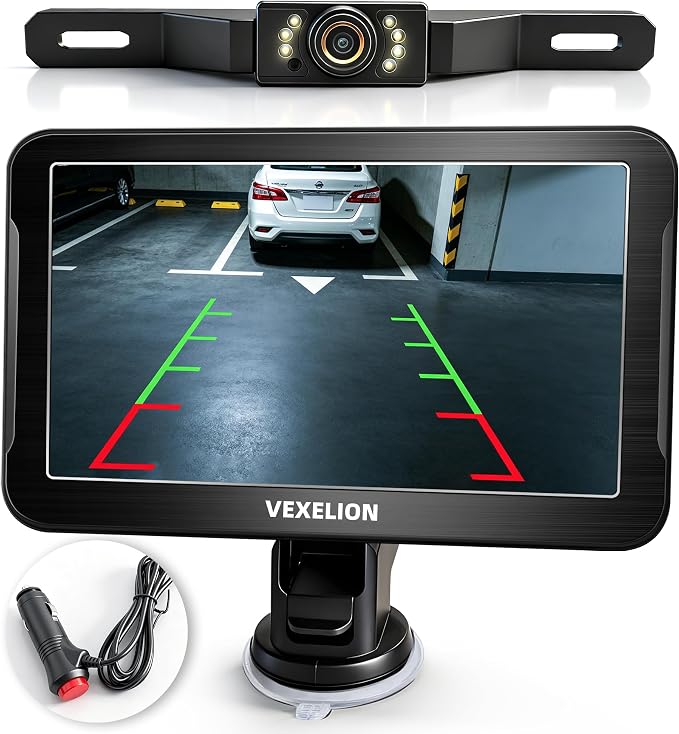
Crystal-clear image quality stands out the most with this backup camera kit, ideal for anyone looking to easily upgrade their van’s rearview setup. Its 2K resolution combined with a large 7-inch monitor makes it especially good for improving safety while reversing or parking.
Installation is surprisingly simple thanks to a plug-and-play design that connects just one cable from the camera to the monitor. Even those new to DIY car projects can complete the setup in about 15 minutes. The 170-degree field of view means you won’t miss much when backing up, which adds confidence on tight streets or crowded parking lots.
Performance shines with sharp, distortion-free video at 1440p resolution, capturing plenty of detail for safe reversing. The monitor’s size makes it easy to glance at without taking focus off driving. A common complaint is that the connection uses a power connector and RCA rather than wireless options, which can limit flexibility in some setups.
The build feels solid enough for vehicle use, though it’s a straightforward design without extra weatherproofing details mentioned.
The camera delivers crystal-clear reversing images with its true 2K sensor and large monitor, making backing up feel safer and more confident. Most find installation quick and straightforward, but some wish for a wireless setup to avoid cable hassle. The single cable system simplifies wiring but could feel restrictive in some vehicle layouts.
This setup will satisfy drivers who want an affordable and easy upgrade with sharp video quality and a big screen. Vans with complex wiring routes or those wanting wireless convenience might prefer a different system, but those focused on image clarity and quick DIY installation will appreciate this camera kit.
Pros
- True 2K HD resolution on a large 7-inch display
- Easy plug-and-play installation under 15 minutes
- Wide 170-degree viewing angle for backup coverage
- Clear and vibrant image quality without distortion
Cons
- Wired connection limits mounting flexibility
- No detailed info on weatherproofing or durability
| Specification | Details |
|---|---|
| Screen Size | 7 inches |
| Connector Type | Power Connector, RCA |
| Field Of View | 170 degrees |
| Effective Still Resolution | 2 mp |
| Video Capture Resolution | 1440p |
9. 7 2K Front/Rear Truck Backup Camera

7” 2K Front/Rear Truck Backup Camera suits vans and larger vehicles needing a clear view behind for safer reversing. Its biggest strength lies in delivering sharp, high-resolution images day and night, making backing up in tight spots feel much more confident.
Setup is straightforward thanks to the plug-and-play system powered by a car charger. Mounting the screen on the windshield or dashboard keeps it in easy view while the camera hides neatly under the license plate. Night vision kicks in automatically with 9 LED lights, so grabbing clear images after dark requires no extra effort.
The camera delivers crisp 1080p video with a wide 140-degree field of view, giving plenty of coverage behind the van. It’s built with a durable CMOS sensor and quality 6 glass lenses to keep images sharp.
Strong praise highlights how clear the picture is, even at night. The main complaint centers on the wiring, which some find a bit tricky to conceal neatly.
Clear, vivid 1080p images day and night provide peace while parking or reversing, though managing cable placement can be a hassle. The automatic LED lights truly help when driving in the dark, boosting overall safety.
Drivers wanting high-quality video and straightforward installation will appreciate this camera’s design. Those seeking more flexible screen mounting or simpler cable management might want to look elsewhere.
Pros
- Clear 2K image quality improves visibility
- Automatic night vision with 9 LED lights
- Simple plug-and-play car charger power
- Wide 140-degree wide-angle lens
Cons
- Wiring can be difficult to hide cleanly
- Screen mounting options limited to windshield or desktop
| Specification | Details |
|---|---|
| Screen Size | 7 inches |
| Video Capture Resolution | 1080p |
| Field Of View | 149 degrees |
| Optical Sensor Technology | CMOS |
| Voltage | 12 volts |
10. 7 IP68 Waterproof Truck Backup Camera

Backing up a large vehicle like a cargo van or motorhome can be tricky without a clear view behind. Designed for medium to large vehicles, the 7 IP68 Waterproof Truck Backup Camera offers a wide 170-degree view on a 7-inch screen, making parking safer and more manageable. Its standout feature is the long 66ft extension cord, accommodating even long vehicles with ease.
Installation involves wiring the camera to the fuse box, connecting power, ground, and reverse gear circuits so the monitor automatically switches on when reversing. The included button allows switching between camera channels, with channel 2 preset for reverse.
Everyday use is straightforward as the system powers up only when needed, reducing distractions while driving. The wide voltage range (9-36V) suits many heavy-duty vehicles, adding to its versatility.
The camera delivers a clear 1080p image with low-light capability at 0.1 lux, helping to see obstacles in dim conditions. It’s built to withstand harsh weather thanks to its IP68 waterproof rating. Users praise the image quality and automatic power function; some mention the wired setup can be complex, requiring careful installation.
The wide-angle lens covers a broad area, which helps reduce blind spots but can slightly distort edges in the view.
The camera’s automatic activation with the reverse gear is highly practical for large vehicles, and image clarity remains good even in low light. Some find the wiring process challenging, which may be a hurdle during installation.
Those driving large vans or trucks who want reliable visibility will appreciate this system’s durability and range. Smaller vehicles or anyone preferring wireless setups should look at other options better suited for simple installs.
Pros
- Wide 170-degree angle covers large blind spots
- Long 66ft extension cable fits large vehicles
- Automatically powers on with reverse gear
- Waterproof IP68 design withstands harsh conditions
Cons
- Wired install can be difficult for beginners
- Wide-angle lens causes slight edge distortion
| Specification | Details |
|---|---|
| Screen Size | 7 inches |
| Voltage | 12 volts |
| Real Angle of View | 170 degrees |
| Video Capture Resolution | 1080p |
| LX Rating | 0.1 lux |
| Extension Video Cord Length | 66ft (20 Meters) |
11. AUTO-VOX 6 Solar Wireless Backup Camera

A clear 6-inch 16:9 screen stands out as a perfect size for a van backup camera, providing a broad view of what’s behind without crowding the dashboard. It fits vans and larger vehicles well, making parking and reversing safer thanks to its wide 130-degree angle and wireless setup.
Setting it up involves mounting the wireless camera and plugging the monitor into a car charger adapter, which is straightforward. The dual antenna system helps to keep the signal strong, even when the camera is mounted far from the driver.
Day-to-day use is simple, with the balanced view showing enough space behind the van to read parking lines and spot nearby obstacles clearly.
Performance is solid with a 1080p video resolution that captures a sharp, detailed image. The build feels durable and meant for outdoor use, though some people mention occasional signal interruptions in tricky spots.
The biggest advantage is how the 6-inch screen fits comfortably without blocking the driver’s main view, while a common gripe is that the wireless signal can still drop under certain conditions.
The image quality is generally sharp thanks to the 1080p resolution, and the larger screen helps keep track of obstacles easily. Most reviews point out the occasional wireless drop as the main issue, which happens under specific conditions but is somewhat uncommon overall.
Those looking for a simple, wireless backup camera with a good viewing area that fits nicely on a van’s dashboard will appreciate this setup. Anyone needing a more consistent signal or a bigger screen for very long vans might want to consider other options.
Pros
- Large 6-inch screen without bulky dashboard space
- Dual antenna reduces signal interruptions
- Wide 130-degree viewing angle
- Easy installation with wireless setup
Cons
- Signal can cut out in certain locations
- Screen size may be small for very long vans
| Specification | Details |
|---|---|
| Screen Size | 6 inches |
| Real Angle of View | 130 degrees |
| Voltage | 12 volts |
| Video Capture Resolution | 1080p |
| Field Of View | 120 feet |
12. AHD 1080P Wide Angle Rearview Backup Camera

Van drivers needing a reliable and clear backup camera will appreciate this model’s sharp 1080p image quality and wide 170-degree field of view. Its greatest strength lies in its ability to deliver excellent visibility in both bright and low light, making reversing safer and easier in all conditions.
Installation requires a screen with an RCA connector, which is common in many vans. The camera supports both HD and AHD modes, letting you optimize picture quality for your display. Daily use benefits from the wide-angle lens, covering more of the area behind the vehicle, and the waterproof design means it holds up through rain or car washes without fuss.
It performs very well in providing clear, detailed video for reversing and parking tasks, thanks to the 1/2.7in CMOS sensor. The build is solid to withstand outdoor conditions, with good signal stability. Most praise focuses on incredible image clarity, while the main complaint revolves around compatibility limited to RCA connection screens.
The camera is praised for delivering sharp, high-quality images that help while reversing, especially in difficult lighting. A common drawback is its dependence on an RCA connector, which limits compatibility with some modern screens.
Individuals with vans featuring RCA-compatible monitors will likely find this camera a solid choice. Those using newer display systems without RCA inputs may want to explore other options that fit better with their setups.
Pros
- Clear 1080p image quality
- Wide 170-degree viewing angle
- Waterproof and durable design
- Supports HD and AHD switching
Cons
- Requires RCA connector on screen
- Screen size small at 0.33 inches
| Specification | Details |
|---|---|
| Video Capture Resolution | 1080p |
| Field Of View | 170 degrees |
| Connector Type | RCA |
| Voltage | 12V |
| Optical Sensor Technology | CMOS |
Best Backup Cameras for Vans Comparison Table
| Product | Screen Size | Angle of View | Connector Type | Resolution |
|---|---|---|---|---|
| Wireless 1080P Backup Cam | 7 inches | 170 degrees | USB | 1080p |
| 7.2″ 1440P Truck Camera | 7 inches | 170 degrees | wireless | 1440p |
| Waterproof Wide Angle Cam | – | 160 degrees | RCA | – |
| Wireless 1080P Backup System | 7 inches | 149 degrees | wireless | 1080p |
| WOLFBOX G840S 4K Dash Cam | – | – | USB | 4K |
| HD 1080P Night Vision Cam | 7 inches | 150 degrees | USB | 1080p |
| 7″ Wireless 1080P Truck Cam | 7 inches | – | – | – |
| 2K Backup Camera Kit | 7 inches | 170 degrees | Power, RCA | 1440p |
| 7″ 2K Front/Rear Truck Cam | 7 inches | 149 degrees | 4-Pin Mini DIN | – |
| 7″ IP68 Waterproof Truck Cam | 7 inches | 170 degrees | wired | – |
| AUTO-VOX 6 Solar Wireless | 6 inches | 130 degrees | Car Charger Adapt | 1080p |
| AHD 1080P Wide Angle Cam | 0.33 inches | 170 degrees | RCA | 1080p |
- Screen Size7 inches
- Angle of View170 degrees
- Connector TypeUSB
- Resolution1080p
- Screen Size7 inches
- Angle of View170 degrees
- Connector Typewireless
- Resolution1440p
- Screen Size–
- Angle of View160 degrees
- Connector TypeRCA
- Resolution–
- Screen Size7 inches
- Angle of View149 degrees
- Connector Typewireless
- Resolution1080p
- Screen Size–
- Angle of View–
- Connector TypeUSB
- Resolution4K
- Screen Size7 inches
- Angle of View150 degrees
- Connector TypeUSB
- Resolution1080p
- Screen Size7 inches
- Angle of View–
- Connector Type–
- Resolution–
- Screen Size7 inches
- Angle of View170 degrees
- Connector TypePower, RCA
- Resolution1440p
- Screen Size7 inches
- Angle of View149 degrees
- Connector Type4-Pin Mini DIN
- Resolution–
- Screen Size7 inches
- Angle of View170 degrees
- Connector Typewired
- Resolution–
- Screen Size6 inches
- Angle of View130 degrees
- Connector TypeCar Charger Adapt
- Resolution1080p
- Screen Size0.33 inches
- Angle of View170 degrees
- Connector TypeRCA
- Resolution1080p
How to Choose the Right Backup Camera for Your Van
Choosing a backup camera for your van involves focusing on image clarity, viewing angle, and ease of installation to ensure safety and convenience. Getting these factors right helps avoid costly damages and reduces stress during parking and reversing in tight spaces.
Image Quality and Field of View
Low resolution cameras can make it difficult to spot small obstacles or pedestrians, especially in busy or dimly lit areas. After dealing with grainy images, the difference a 720p or higher resolution camera makes becomes clear. It allows you to see objects clearly enough to react safely.
Night vision is another factor that often gets overlooked until you back into poorly lit driveways or parking lots. Cameras with infrared or LED night vision significantly improve visibility in low light, avoiding close calls with unexpected hazards.
A wide-angle lens covering between 140 and 180 degrees is important for vans to reduce blind spots and provide a better view of everything behind. Narrow lenses limit perspective, forcing you to turn your head more or risk missing something.
The camera should capture not only the rear center but also the sides to prevent surprises from vehicles or pedestrians approaching from both directions.
Installation and Compatibility
Mounting a backup camera can become a frustrating project if the unit isn’t designed with various van shapes and rear surfaces in mind. Cameras with flexible brackets or multiple mounting options save time and avoid drilling mistakes. Vans often have curved or uneven rear panels, so a camera that can be angled during installation works better than a fixed one.
Compatibility affects whether you can connect the camera to your existing monitor or need a separate display. Most cameras use RCA or composite video inputs. Some newer models offer wireless connections, which reduce cable running hassle but depend heavily on signal strength.
Wiring can be tedious; standard kits usually provide 15 to 20 feet of cable, which fits most setups, but longer vans might require extensions or wireless models.
Durability and Weather Resistance
Backup cameras often face rain, snow, dust, and heat directly. Models with at least an IP67 rating provide solid protection against dust and water immersion up to 1 meter, ensuring reliability through different weather conditions. Cameras with lower ratings encountered failures or water fogging after months of exposure during my experience.
Road vibrations and shocks, especially on rough or unpaved roads, cause cheaper cameras to loosen or fail faster. A sturdy bracket combined with vibration-resistant internal components is necessary, especially for commercial or delivery vans.
Durable metal casings or reinforced plastics resist wear and fading much better than thin plastics that crack or warp under sunlight or temperature swings.
Power Source and Connectivity
The majority of backup cameras draw power from the vehicle’s reverse light circuit, which means they only operate when the van is reversing. This straightforward setup avoids unnecessary power drain but requires attention to correct wiring.
Energy consumption is typically low, but some advanced models with night vision and wireless functions demand more power, so confirming your van’s power capacity helps.
Wired connections provide steady transmission but cable length can be a constraint; most standard cables range from 15 to 20 feet. Longer vans may require additional wiring or wireless cameras, which eliminate cables but can suffer from interference.
A good wireless camera maintains a stable signal with minimal dropout within 10 to 15 meters of the monitor. Interference from other devices or metal parts around the van might cause signal loss with cheaper wireless units.
User Interface and Adjustability
Large, bright screens on backup monitors improve visibility and reaction times, especially in bright sunlight or at night. Screen sizes from 4.3 to 7 inches are common, balancing space and clarity.
Placement matters as well; the monitor should be within easy view without obstructing driving controls or windows, often mounted near the dashboard or rearview mirror.
Guidelines and parking assist overlays help judge distances more accurately. Some monitors let you customize these lines based on your vehicle size, which reduces guesswork while reversing close to walls or other vehicles.
The camera itself should have adjustable angles so you can tailor the view to the van’s height or load, many cameras allow tilting or rotation by a few degrees to get the optimal field of view.
Tips for Installing and Calibrating a Van Backup Camera
Positioning the backup camera correctly can greatly affect the view it provides. Mounting it near the license plate or at the top of the rear door delivers different angles, so choose the spot that offers the widest, most useful field of vision for your van’s size.
Running wiring through the vehicle’s interior trim prevents exposure to weather and reduces the risk of damage. Check that all connections are secure and protected from moisture.
Calibrating the camera is key to getting accurate distance markers. These lines often need adjustment in the monitor settings to match your vehicle’s actual width and rear clearance.
- Test the camera view during daylight and nighttime to ensure clarity.
- Adjust tilt angles slightly, as vibrations from driving can alter the camera’s alignment.
- Refer to the van’s manual for wiring diagrams to avoid electrical issues.
Maintaining and Cleaning Your Backup Camera for Optimal Performance
Regularly wiping the lens can prevent dirt and grime from obstructing the view. Use a soft microfiber cloth with mild cleaner specifically designed for lenses or electronic screens.
Avoid abrasive materials or harsh chemicals, as they might scratch the lens or damage the camera’s protective coating. Inspect the camera housing for cracks or loose parts at least monthly.
Accumulated moisture inside the camera casing could cause fogging or electrical issues. Ensure seals are intact and drainage holes, if any, are clear.
- After heavy rain or snow, dry the camera to maintain a clear image.
- Check wiring connections for corrosion to prevent signal loss.
- Store your van in a covered area when possible to reduce exposure to dirt and extreme weather.
Comparing Wired vs Wireless Backup Cameras for Vans
Wired backup cameras provide a steady connection with minimal signal interference, making them reliable especially for large vans where consistency is important. However, installation requires routing cables through the vehicle, which can be time-consuming.
Wireless cameras simplify installation since they avoid extensive wiring, ideal for those who prefer a straightforward setup. Battery-powered versions eliminate the need for power cables but require regular battery replacements or charging.
Signal strength in wireless systems depends on distance and obstacles, so placement needs careful consideration to avoid connectivity issues.
- Wired systems tend to have better video quality and immediate response time.
- Wireless cameras are often more portable and easier to replace.
- Consider your van’s layout and how much effort you want to spend on installation when choosing between the two.
People Also Asked
How Do I Install a Backup Camera on My Van?
Installation usually involves mounting the camera on the rear of the van, wiring it to the reverse light circuit, and connecting it to a display inside the vehicle. Make sure to route the cables carefully to avoid pinching and to keep them away from heat sources or moving parts.
What Size Backup Camera Works Best for Large Vans?
A backup camera with a screen size of around 4.3 to 7 inches is ideal for large vans, balancing visibility without overwhelming the dashboard. Larger screens can be hard to fit or distract while driving, so choose one that fits your dash space comfortably.
Are Backup Cameras Compatible with All Van Models?
Backup cameras are generally compatible with most van models, but the mounting style and wiring may vary. Confirm the camera system matches your van’s electrical setup and display options, especially if you want it integrated into an existing screen.
How Long Does a Typical Backup Camera Last in a Van?
Most backup cameras last between three to five years under normal conditions. Exposure to weather, especially moisture or extreme temperatures, can shorten their lifespan, so pick a model with good weatherproof ratings.
What Common Problems Should I Watch for with Backup Cameras?
Common problems include poor image quality due to dirt or water on the lens, loose wiring connections, and interference with the display unit. Regularly cleaning the lens and checking wiring can help prevent most issues.
Conclusion
The most important factors when choosing a backup camera for a van are image clarity, ease of installation, and how well it fits the size and shape of your vehicle. A clear picture helps avoid blind spots while reversing.
Installation should be straightforward so it does not take too much time or require professional help. The camera system also needs to be compatible with the van’s layout to work properly without obstructing your view.
Think about how often you will use the camera system and what your budget allows before making a decision. A more durable, weather-resistant model can be worth the extra cost for frequent use.
Take another look at the comparison table and the detailed reviews above to find the setup best suited to your van and daily needs.