
Top 12 Best PC Coolant That Will Boost Your Gaming Rig!
Using a cheap or unsuitable PC coolant can lead to clogged tubing, poor heat transfer, or even corrosion inside your system. The best PC coolant keeps temperatures down consistently while preventing buildup and damage over time. Choosing the right coolant helps your computer run cooler and quieter, especially under heavy loads or extended gaming sessions.
A good PC coolant typically includes anti-corrosion agents and biocides to stop algae and rust, extending the life of your cooling system. The fluid should have a low electrical conductivity to reduce risk in case of leaks and maintain safe operation. Concentration levels usually range around 40-50% coolant mixed with distilled water, optimizing thermal performance without increasing pump strain.
Regular maintenance and selecting a coolant with clear instructions can also make a noticeable difference in longevity and system stability.
Need a Quick Check?
| Image | Product | Price |
|---|---|---|
Our Top Picks 1 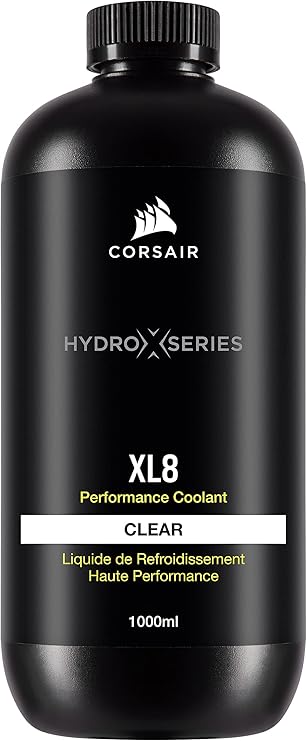 | CORSAIR Hydro X Coolant | Check Price |
Our Top Picks 2  | EKWB CryoFuel Clear 2-Pack | Check Price |
Our Top Picks 3  | XSPC EC6 UV Green | Check Price |
Our Selected Top 12 Pc Coolant You Can Trust
This list features carefully chosen PC coolants designed to keep your system running smoothly. Each review covers performance, suitability for different setups, and the pros and cons to help you find the best option for your cooling needs.
1. CORSAIR Hydro X Series XL8 Performance Coolant
Using CORSAIR Hydro X Series XL8 Performance Coolant feels straightforward and reliable for anyone setting up a custom PC cooling system. It suits people who want a ready-to-use coolant that protects their expensive components while adding a splash of color to their build.
Its biggest strength lies in its advanced corrosion and bacterial protection that keeps systems running smoothly.
Setting up with this coolant is simple since it comes pre-mixed and ready to go, sparing you any extra steps for additives or inhibitors. Daily use around the system feels reassuring, knowing copper, brass, and nickel parts receive thorough protection. The clear color option blends well with custom builds that use LED lighting or colored tubes, making it a good fit for enthusiasts who want both function and aesthetics.
Performance-wise, it keeps temperatures stable and defends metal surfaces from corrosion and bacteria growth, which can degrade system components over time. The formula’s advanced inhibitors work quietly in the background. Most praise focuses on how effective the corrosion protection is.
Some mention a desire for more variety in package sizes, as the 2.31 pounds bottle may be more than needed for smaller loops.
The coolant’s strongest point is its advanced corrosion and anti-bacterial protection that helps maintain the longevity of metal parts inside the cooling loop. Reviews note occasional frustration with the fixed bottle size which might lead to leftover fluid for those with compact systems.
This coolant suits anyone who wants a reliable, maintenance-free product that safeguards components while looking clean and transparent. Those seeking multiple color choices or smaller packaging might want to explore different alternatives.
Pros
- Pre-mixed formula ready for immediate use
- Protects copper, brass, and nickel from corrosion
- Includes anti-bacterial inhibitors
- Clear color fits various build styles
Cons
- Limited bottle size options for smaller setups
- Only clear color offered in this model
| Specification | Details |
|---|---|
| Brand | Corsair |
| Item model number | CX-9060007-WW |
| Item Weight | 2.31 pounds |
| Package Dimensions | 8.46 x 3.43 x 3.39 inches |
| Color | Clear |
2. EKWB EK-CryoFuel Premix PC Coolant 1000mL Clear 2-Pack
EKWB EK-CryoFuel Premix Clear coolant works well for anyone looking to combine safe, efficient cooling with vivid colors in their desktop or server water-cooling systems. Its biggest strength lies in offering intense, saturated colors without risk, thanks to a non-toxic and low electrical conductivity formula.
Setting it up is straightforward since it suits most common materials like Acrylic, PeTG, and various rubbers, preventing compatibility worries. The coolant comes premixed, so there’s no need for additional mixing.
Day-to-day, it stays stable and clear, maintaining its color brilliance while keeping the loop safe and clean without frequent changes.
Performance-wise, it cools efficiently and avoids electrical risks because of its low conductivity. The eco-friendly aspect means biodegradability within 10 days, which feels thoughtful.
Users praise its vibrant colors and safety, though some mentioned that the color intensity could fade over time or require top-up due to evaporation.
Many find the coolant’s vivid colors and low electrical conductivity its strongest points, giving both visual appeal and safe operation over long use. Some remarks point out the color can fade and evaporation can lead to topping up, which means attention to maintenance is needed.
Anyone wanting a safe, colorful coolant for common DIY water-cooling parts will appreciate this product. Those who want a no-maintenance or longer-lasting solution might look elsewhere to avoid topping up and fading concerns.
Pros
- Non-toxic and safe for multiple materials
- Low electrical conductivity reduces short circuit risks
- Bright, concentrated pigments provide vivid colors
- Environmentally friendly and biodegradable
Cons
- Color intensity may fade over time
- May require occasional topping up
| Specification | Details |
|---|---|
| Cooling Method | Water |
| Compatible Devices | Desktop, Server |
| Power Connector Type | 3-Pin |
| Compatible Materials | Acrylic, PeTG, POM Acetal, rubber (NBR, ePDM, Norprene) |
3. XSPC EC6 High Performance Premix PC Coolant UV Green
Bright green premixed coolant designed for PC water cooling systems offers a balance of safety and performance. Ideal for those who want a ready-to-use liquid that minimizes extra work during setup. Its biggest strength lies in being low in electrical conductivity, reducing risks in sensitive PC environments.
Setup is straightforward since no additives are needed, allowing immediate use after opening. The low conductivity means less worry about shorts or damage if spills happen. The bio-degradable nature also makes handling and disposal less stressful, fitting well into a regular PC maintenance routine without extra chemicals or equipment.
Effectiveness at heat transfer is solid, making it a reliable choice for daily cooling needs. The stable dyes keep the UV green color vibrant without fading for up to two years. The most common complaint notes the container size could be limiting for larger or multiple systems, but the quality of the liquid itself receives consistent positive feedback for safety and longevity.
Many appreciate the low conductivity and immediate usability, making coolant handling easier and safer for PC setups. The main drawback is the relatively small container size which can feel limiting if multiple refills or large loops are needed.
Those seeking a premix that combines safety and long-lasting performance will find this coolant fits well. Users with larger cooling systems or seeking detailed thermal specs might prefer exploring other options with bigger volumes or explicit performance data.
Pros
- Ready to use, no additives required
- Low electrical conductivity for safety
- Bio-degradable and non-toxic
- UV stable green dye lasts two years
Cons
- Container size may not suit large builds
- No detailed thermal performance specs provided
| Specification | Details |
|---|---|
| Product Dimensions | 3.94 x 3.94 x 9.84 inches |
| Item Weight | 2.2 pounds |
| Bio-degradability | 85% within 30 days |
| Shelf Life | 2 years |
| Electrical Conductivity | Low |
4. XSPC EC6 High Performance Premix PC Coolant Blood Red

Blood Red stands out right away for its vibrant color, perfect for those who want their PC water cooling system to pop visually. Suited for desktop setups, it excels at delivering reliable coolant performance without needing any extra additives.
Setup is straightforward since it comes premixed, meaning there’s no mixing or balancing required before pouring it into your loops. The low electrical conductivity reassures anyone worried about leaks causing shorts, and the non-toxic formula adds an extra layer of safety when working inside your rig.
The stable dyes ensure the color stays consistent over time without fading, so you can use it daily with confidence.
It cools effectively, maintaining system temperatures well, which is key in preventing overheating during long sessions. The two-year shelf life means you won’t need to rush through a bottle.
Most users appreciate that there’s no need to add anything else before use, while some notes have been made about the bright color possibly staining tubing if left for very long periods.
The brightest feature praised often is the coolant’s ready-to-use formula along with the striking blood red color that stays stable for years. A common drawback mentioned revolves around the dye’s potential to leave stains if the coolant is left in the tubes too long without regular maintenance.
Enthusiasts who want a bold look and fuss-free setup will find this coolant suits them well. Those looking for a colorless or less intense solution or using non-desktop systems might want to consider alternatives designed specifically for their needs.
Pros
- Premixed, no additives needed
- Low electrical conductivity for safety
- Non-toxic and bio-degradable
- Stable, vibrant blood red dye
Cons
- Bright dye can stain tubing over time
- Limited to desktop PC water cooling
| Specification | Details |
|---|---|
| Power Connector Type | 4-Pin |
| Cooling Method | Water |
| Compatible Devices | Desktop |
| Bio-degradable | 85% Within 30 Days |
| Shelf Life | 2 years |
| Electrical Conductivity | Low |
5. EKWB EK-CryoFuel Premix PC Coolant 1000mL Clear

Choosing EKWB EK-CryoFuel Premix PC Coolant means going for vivid colors that don’t sacrifice performance. It suits anyone wanting a safe, reliable coolant that works with a variety of PC materials and offers eco-friendly benefits alongside strong thermal efficiency.
Setup is straightforward since the coolant arrives premixed and ready to use, cutting down on prep time. It’s designed to work with acrylic, PeTG, POM Acetal, and some rubber materials, so compatibility worries are minimal.
The formula keeps electrical conductivity low, making it safer around sensitive components during daily operation. Cleaning is easier thanks to its non-toxic, biodegradable makeup.
This coolant performs well in keeping systems cool and looks striking with its intense clear finish. EKWB’s focus on thermal efficiency means it does its job without causing harm to tubing or seals.
Reviews often praise its vibrancy and safety, though some users note the 1000mL size may not fit larger systems without topping up more often.
The strongest praise centers on the vivid and clear appearance combined with a formula that’s safe for a wide range of materials. Common complaints focus on the smaller volume, which could mean topping up is needed more often in larger or heavily looped systems. The clear color looks great but requires regular cleaning to avoid showing buildup.
Those wanting a reliable and visually striking coolant that’s safe for many components will be happy with this product. Anyone who prefers longer intervals between refills or wants a colored coolant to mask debris should consider other options.
Pros
- Intense, vivid color with concentrated pigments
- Works with many types of tubing and seals
- Low electrical conductivity improves safety
- Biodegradable and eco-friendly formula
Cons
- Only 1000mL size, may require frequent refills
- Clear color may show dirt or algae buildup quickly
| Specification | Details |
|---|---|
| Item Weight | 2.36 pounds |
| Volume | 1000mL |
| Compatibility | Acrylic, PeTG, POM Acetal, NBR, ePDM, Norprene |
| Conductivity | Low electrical conductivity |
| Biodegradability | 90% biodegradable in 10 days |
6. Dracaena.io Premixed PC Coolant Blue 1000mL

Keeping your PC running cool without worrying about corrosion or compatibility issues becomes much simpler when you use a well-balanced coolant. Designed for custom liquid cooling loops, this one suits anyone mixing metals like copper and aluminum. Its clearest strength lies in combining effective corrosion protection with eye-catching colors.
Pouring the premixed liquid into your system is straightforward, thanks to the 1000mL volume that covers most builds comfortably. The coolant contains over half distilled water and nearly half ethylene glycol, which helps maintain consistent thermal transfer while protecting internal metals against rust. The color options add a personal touch to your rig, making maintenance a bit more enjoyable to look at.
Performance is solid with a formula designed to safeguard every part in contact with liquid, from brass fittings to acrylic tubes. The coolant runs quietly and keeps temperatures steady during long hours of gaming or work.
Some note the color can fade slightly over time, but corrosion control remains the highlight. It’s a reliable balance between function and appearance without surprises.
Protection against corrosion stands out as the strongest point, supported by a balanced formula safe on various metals. Users appreciate the bold colors that add visual flair to their setups. The most common downside is the gradual fading of these colors after extended use, which doesn’t affect performance but impacts aesthetics.
Anyone building or maintaining a custom PC liquid cooling system with mixed metals will find this coolant a dependable choice. Those prioritizing a natural or longer-lasting color might want to consider alternatives with different dye formulations.
Pros
- Broad compatibility with mixed-metal systems
- Provides strong corrosion protection additives
- Five vibrant color options to choose from
- Premixed for immediate use in cooling loops
Cons
- Color may fade slightly over time
- Contains ethylene glycol, requiring careful handling
| Specification | Details |
|---|---|
| Cooling Method | Liquid |
| Compatible Devices | Desktop, Graphic Cards |
| Volume | 1000mL |
| Composition | 51.129% distilled water, 48% ethylene glycol |
| Compatibility | Copper, brass, steel, nickel, aluminum, acetal, acrylic |
7. PrimoChill Pure Watercooling Coolant Clear

Pure performance defines PrimoChill Pure Watercooling Coolant Clear, designed especially for serious overclockers. It avoids fancy additives, focusing on keeping your system clean and protected against corrosion, making it ideal for users looking for a straightforward, effective coolant.
Setup is straightforward thanks to its compatibility with all plastics, rubbers, and gaskets, ensuring it won’t harm your system’s components. The low viscosity makes it easy to flow through high-speed pumps, and the excellent lubrication helps lengthen pump life.
Maintenance is minimal since it resists buildup and corrosion without using harsh chemicals.
It cools efficiently without mechanical shearing, perfect for high flow pumps. The coolant is clear, so you can easily spot contaminants but remember it can become conductive if exposed to too much dust or other fluids.
Praised for its clean performance and pump-friendly formula, some users mention concerns about its sensitivity to contamination over time.
Clear and low-viscosity coolant allows easy system monitoring and maintains pump durability, but it requires a dust-free environment to prevent conductivity issues. Users note its clean formula helps avoid corrosion effectively, but contamination sensitivity can be a downside in less controlled builds.
Those running high flow pump systems and prioritizing pump health will appreciate its careful formulation. Anyone operating in dusty environments or mixing different fluids might want to look for alternatives that handle contaminants more robustly.
Pros
- Safe for all plastics and gaskets
- Special ingredients prevent buildup and corrosion
- Formulated for high flow pumps
- Increases pump life with good lubrication
Cons
- Conductivity increases with dust exposure
- Not suited for mixed-fluid systems
| Specification | Details |
|---|---|
| Power Connector Type | 4-Pin |
| Cooling Method | Water |
| Compatible Devices | Desktop |
| Viscosity | Low |
| Conductivity | Low |
8. XSPC EC6 High Performance Premix PC Coolant White

People building or upgrading a PC with water cooling will find this coolant especially practical. Its biggest advantage lies in coming pre-mixed with no need for extra additives, which makes it simple to use while staying reliable over time.
Setting up the coolant is straightforward because it’s pump friendly and won’t cause clogs, so maintenance is easier. It works well with different tubing materials including PVC, PeTG, Acrylic, and Metal, letting you match it with your build. It’s also non-toxic and RoHS compliant, which means safety and environmental concerns have been considered.
The coolant performs steadily, keeping temperatures in check without breakdowns or residue. The formula’s long life means it will last without needing frequent changes. While most appreciate the stable performance, some mention wanting more color options instead of just white.
The blend avoids harming tubing or components, so it’s gentle but effective.
Many appreciate how stable and clog-free the coolant is during routine use, giving confidence in its prolonged effectiveness. On the downside, the single color option limits creativity for those wanting a more customized look in their PC builds.
Anyone wanting a reliable, no-fuss coolant for their water cooling system will find this product a solid choice. Those who prefer bright or multiple color choices might want to look for something offering more variety in appearance.
Pros
- Pre-mixed formula for quick setup
- Works with multiple tubing types
- Non-toxic and environmentally safe
- Long-lasting stable formula
Cons
- Only available in white color
- Not suitable for setups needing color customization
| Specification | Details |
|---|---|
| Power Connector Type | 4-Pin |
| Cooling Method | Water |
| Compatible Devices | Desktop |
| Formula Type | Pre-mixed, no additives needed |
| Material Compatibility | PVC, PeTG, Acrylic, Metal Tubing |
| Safety | Non-Toxic, RoHS Compliant |
9. Alphacool Apex Liquid ECO PC Coolant 2-Pack

Alphacool Apex Liquid ECO stands out as a ready-to-use PC coolant suited for anyone building or maintaining a water-cooled desktop. Its main strength lies in reducing foam formation thanks to additives that lower surface tension, which helps maintain a cleaner and more stable cooling loop.
Setting up involves pouring the clear, transparent premix liquid directly into your water cooling system without needing extra additives or dilution. The 1000ml bottles make it convenient to manage top-offs or flushes during maintenance.
The eco-friendly formula feels balanced between staying clean and promoting long-term loop stability, so daily use minimizes concerns about residue or clogging.
Performance is solid with consistently good heat transfer and dependable operation in liquid-based cooling setups. The coolant’s formulation prevents foam, which improves system reliability over time. It also comes in two 1000ml containers to make refilling easier.
Common critique points include that it comes only in clear, which might be less visually exciting, and some users note it’s a bit pricier than basic options.
High praise focuses on how the coolant’s additives reduce foam and keep the water loop clean and stable. A frequent complaint is its premium price compared to simpler, less specialized fluids. The clear look suits those who prefer an unobtrusive coolant, but it won’t satisfy those wanting vibrant colors.
People seeking a reliable, no-fuss coolant that works straight out of the bottle will appreciate it. Those on tighter budgets or looking for colored or customizable coolants might look elsewhere for options better fitting those preferences.
Pros
- Ready-to-use premix, no dilution needed
- Foam-reducing additives improve loop stability
- Comes in two 1000ml bottles for convenience
- Clear coolant fits any case aesthetic
Cons
- Only available in clear, no color options
- Pricier than some basic coolant brands
| Specification | Details |
|---|---|
| Cooling Method | Liquid-based |
| Compatible Devices | Desktop |
| Color | Clear/Transparent |
| Content | 1000ml per bottle (2-Pack) |
| Foam Reduction | Additives reduce surface tension |
10. Thermalright FW 240 SE ARGB 360mm AIO CPU Cooler

Thermalright FW 240 SE ARGB 360mm AIO CPU Cooler stands out for its ability to move heat quickly thanks to its high-speed fans and sizable radiator. Perfect for desktop users needing efficient cooling with quieter operation, it suits anyone who wants solid temperature control without extra noise.
Setup involves fitting the large 277x120x52mm radiator in your case, which may require a roomy chassis. The fans run at up to 2000 rpm with PWM control, allowing automatic speed adjustments based on temperature. The low-noise S-FDB bearings and optimized blades keep sound under 30 dBA, making daily use comfortable even during heavy loads.
Performance is strong with good airflow at 70.84 cfm and effective heat dissipation from the 240 size radiator. The water pump and fans work together to consistently cool without much noise.
Build quality felt solid, although some users mention the radiator size demands careful fitting. The main praise is quiet operation, while the size can be a bit bulky for smaller cases.
Quiet performance is regularly highlighted, making it good for users sensitive to noise. The radiator’s size also comes up often as something needing attention during installation because of its bulk.
Those with spacious desktop cases looking for reliable water cooling will be satisfied. Users with smaller or compact cases might want to consider smaller or simpler coolers for easier fitting.
Pros
- High-speed fans for efficient heat removal
- Quiet operation below 30 dBA
- PWM control for automatic fan speed adjustment
- Solid build quality on pump and radiator
Cons
- Radiator size needs large case compatibility
- Some find installation tricky due to bulk
| Specification | Details |
|---|---|
| Cooling Method | Water |
| Noise Level | 29.8 dBA |
| Maximum Rotational Speed | 2000 rpm |
| Air Flow Capacity | 70.84 cfm |
| Voltage | 12 volts_of_direct_current |
| Power Connector Type | 4-Pin |
11. Thermaltake TH240 ARGB Sync V2 CPU Liquid Cooler

Running cool under pressure is what makes this liquid cooler stand out for anyone serious about keeping their CPU temperatures down. It suits gamers and prosumers aiming for quiet and consistent cooling with a fancy touch on the aesthetics side.
The copper base plate’s heat conductivity is the single biggest strength you’ll notice right away.
Setting up feels straightforward as it supports a broad range of Intel and AMD sockets, so compatibility isn’t a headache. The pump circulates water reliably, and the lighting syncs nicely with popular motherboard RGB software, making it blend well with whatever setup style you prefer. Daily noise stays pretty low at 25.8 dB, which keeps the background quiet during loads.
Thermal management does a solid job thanks to the copper base and efficient pump working together. It’s built tough with an industrial look and a 360-degree rotatable cap that changes the lighting effects.
The strongest praise points to its cooling power, while the common gripe is about the fan speed possibly being a bit loud under maximum rotation at 2000 rpm.
Cooling performance stands out due to the copper base and reliable pump that keeps temperatures down consistently. Most users point out the quieter operation as a big plus, though some mention the fan speed at max RPM can be a little noisy during intense use.
Anyone looking for serious cooling paired with customizable RGB lighting will appreciate this cooler. Users who prefer ultra-quiet setups might consider options with lower maximum fan speeds.
Pros
- Supports wide range of Intel and AMD sockets
- Copper base plate accelerates heat conductivity
- Compatible with popular motherboard RGB software
- Quiet operation with noise level at 25.8 dB
Cons
- Fan may get loud at full 2000 rpm speed
- 360-degree rotating cap noticeable but limited impact
| Specification | Details |
|---|---|
| Cooling Method | Water |
| Voltage | 5 volts |
| Noise Level | 25.8 db |
| Maximum Rotational Speed | 2000 rpm |
| Power Connector Type | 4-Pin |
| Wattage | 250 watts |
12. Antec Skeleton 360 ARGB AIO CPU Cooler

Strong cooling performance with eye-catching ARGB lighting makes it a great fit for gamers and PC builders who want both style and efficiency. Its standout feature is the large copper base plate that handles heat well under all loads.
Setting it up is straightforward, compatible with most Intel and AMD sockets, so it fits a wide range of CPUs. The pump’s unique skeleton frame with customizable ARGB lighting syncs via motherboard, which adds flair without extra hassle. The tubing is flexible yet durable, and the fans run quietly thanks to hydraulic bearings, ideal for everyday use without distracting noise.
Heat transfer feels reliable as the high-density fins and powerful PWM fans keep temps down effectively. The cooler operates quietly at 32 db and the build seems solid overall.
Feedback often praises the efficient cooling and customizable lighting, while the main downside noted is the fan speed maxing out at 2000 rpm, which could be louder at peak load.
Cooling performance is consistently praised for keeping CPUs comfortably cool even under heavy load, thanks to the copper base plate and high-density radiator fins. Some notes on fan noise at maximum rotation speed highlight a trade-off for those sensitive to sound.
Ideal for anyone wanting a visually appealing cooler that doesn’t compromise on thermal efficiency, especially gamers and custom builders. Users who prioritize ultra-quiet operation or extreme airflow might want to explore other options.
Pros
- Large copper base plate for superior heat dissipation
- Customizable ARGB lighting that integrates well
- Quiet operation with hydraulic bearing fans
- Compatible with most modern Intel and AMD sockets
Cons
- Fans can get noisy at max speed of 2000 rpm
- Air flow capacity might be lower than some high-end alternatives
| Specification | Details |
|---|---|
| Power Connector Type | 4-Pin |
| Voltage | 120 volts |
| Wattage | 120 watts |
| Noise Level | 32 db |
| Maximum Rotational Speed | 2000 rpm |
| Air Flow Capacity | 72.29 cubic_centimeters_per_minute |
Best PC Coolants Comparison Table
| Product | Compatible Devices | Cooling Method | Weight | Color |
|---|---|---|---|---|
| CORSAIR Hydro X Coolant | Desktop | Water | 2.31 pounds | Clear |
| EKWB CryoFuel Clear 2-Pack | Desktop, Server | Water | – | – |
| XSPC EC6 UV Green | – | – | 2.2 pounds | – |
| XSPC EC6 Blood Red | Desktop | Water | – | – |
| EKWB CryoFuel Clear | – | – | 2.36 pounds | – |
| Dracaena.io Blue Coolant | Desktop, Graphic Cards | Liquid | – | Blue |
| PrimoChill Pure Watercooling | Desktop | Water | – | – |
| XSPC EC6 White | Desktop | Water | – | – |
| Alphacool Apex ECO 2-Pack | Desktop | Liquid-based | – | – |
| Thermalright FW240 SE ARGB | Desktop | Water | – | – |
| Thermaltake TH240 ARGB V2 | Desktop | Water | – | – |
| Antec Skeleton 360 ARGB | Desktop | Water | – | – |
- Compatible DevicesDesktop
- Cooling MethodWater
- Weight2.31 pounds
- ColorClear
- Compatible DevicesDesktop, Server
- Cooling MethodWater
- Weight–
- Color–
- Compatible Devices–
- Cooling Method–
- Weight2.2 pounds
- Color–
- Compatible DevicesDesktop
- Cooling MethodWater
- Weight–
- Color–
- Compatible Devices–
- Cooling Method–
- Weight2.36 pounds
- Color–
- Compatible DevicesDesktop, Graphic Cards
- Cooling MethodLiquid
- Weight–
- ColorBlue
- Compatible DevicesDesktop
- Cooling MethodWater
- Weight–
- Color–
- Compatible DevicesDesktop
- Cooling MethodWater
- Weight–
- Color–
- Compatible DevicesDesktop
- Cooling MethodLiquid-based
- Weight–
- Color–
- Compatible DevicesDesktop
- Cooling MethodWater
- Weight–
- Color–
- Compatible DevicesDesktop
- Cooling MethodWater
- Weight–
- Color–
- Compatible DevicesDesktop
- Cooling MethodWater
- Weight–
- Color–
How to Choose the Best PC Coolant
Choosing the right PC coolant involves considering its thermal performance, corrosion protection, and compatibility with your system’s materials. Good coolant prevents overheating and damage, reducing the need for repairs and extending component lifespan, ultimately saving money and avoiding unwanted downtime.
Cooling Efficiency
Overheating is a common problem that can seriously damage PC components like CPUs and GPUs. The heat needs to move away from these parts quickly, which depends largely on how well the liquid carries and stores heat. Coolants with high thermal conductivity and specific heat capacity transfer heat more efficiently, keeping temperatures down under load.
Cheaper or lower-quality liquids may lose these properties as they age, leading to poor performance and higher temperatures.
Choosing a liquid that resists thermal breakdown over time is key for consistent cooling. Good coolants maintain their heat transfer ability even after months or years of use without thickening or evaporating quickly. This means less risk of overheating and stable performance during extended gaming or heavy workloads.
Compatibility with Hardware
Some coolants can’t be used with every PC setup. The fluid must not react with metals like copper, aluminum, or nickel used in blocks and radiators.
Otherwise, corrosion will form, causing leaks and blockages. Compatibility with tubing materials such as PVC or silicone is also essential to prevent degradation or swelling.
Many coolants include additives that protect seals and metal parts from damage, which extends the life of the entire loop. It’s important to check product labels or specs for compatibility with your system’s specific metals and tubes. Using a coolant formulated for your hardware can save costly repairs and simplify maintenance.
Safety and Nontoxicity
Liquids leaking onto PC components can cause shorts and hardware failures. Using a coolant that is nonconductive and noncorrosive reduces these risks significantly. Low toxicity also matters if you spend time refilling or flushing your system, as harsh chemicals can irritate skin or cause health issues.
Some coolants are biodegradable and have fewer harmful chemicals, making disposal easier and safer for the environment. Choosing safer fluids means less worry about accidental spills or how to safely handle the liquid during maintenance.
Longevity and Maintenance
Biofilm growth and algae are common issues in loops that use water or water-based fluids, leading to clogged blocks and slow flow. Coolants with built-in biocides prevent microbial growth, reducing blockages and maintaining performance longer.
This prevents frequent system flushes, which can be time-consuming and messy.
Stable fluids don’t break down or require frequent replacement. The easier it is to flush and clean the system, the less downtime you’ll face.
Look for products that offer multi-month or yearly replacement intervals and simple flushing routines.
Appearance and Transparency
Clear liquids make it easy to monitor coolant levels and spot contamination or growth inside the loop. Some users prefer colored options for visual appeal or to match a PC build’s theme.
However, many dyes can fade or cloud over time, reducing aesthetic value and making flow checks harder.
Picking fluids known for maintaining transparency and color integrity ensures your system stays visually clean and easy to inspect. This helps catch issues before they cause damage or performance loss, especially with tinted tubing or difficult-to-access loops.
Proper Maintenance and Cleaning Techniques for PC Coolants
Keeping a PC coolant system clean is essential for reliable cooling performance. Over time, coolants can develop residue or algae buildup, which reduces efficiency and may cause clogs. Flushing the coolant loop every 6 to 12 months helps remove old fluid and any deposits.
Use distilled water for flushing to prevent mineral deposits and avoid regular tap water. When refilling, choose a coolant compatible with your components and ensure the system is free of leaks.
Clean the reservoir and tubing carefully to avoid scratches or contamination. Regular inspection of connections and tubing for any signs of wear or discoloration can catch issues early. Small leaks can be sealed or tubes replaced before they turn into bigger problems.
Proper maintenance extends the life of the cooling system and maintains consistent CPU and GPU temperatures.
Comparing Liquid Coolants with Air and Hybrid Cooling Solutions
Liquid coolants offer more direct heat transfer compared to air cooling, allowing for lower component temperatures under heavy loads. Air coolers rely on fans to dissipate heat through heatsinks but can be noisier and less efficient in small cases with limited airflow.
Hybrid cooling combines both approaches; it uses liquid coolant for heat transfer alongside fans to dissipate heat from the radiator. This setup strikes a balance between performance and noise levels. Liquid systems require more maintenance and careful installation than air coolers.
Air cooling tends to be simpler and cheaper but may struggle with high-performance CPUs or GPUs. Hybrids can deliver better cooling without the complexity of full water loops but might still need occasional upkeep to keep fans clean and operating efficiently.
Common Mistakes to Avoid When Using PC Coolants
One common mistake is neglecting regular coolant replacement, which can lead to reduced thermal performance and potential blockages. Using plain water without additives can cause corrosion or algae growth inside the loop. It’s important to select coolants formulated for PC use to avoid damage to metal parts.
Over-tightening fittings during installation can crack connectors or cause leaks, so hand-tighten and then gently secure with tools if necessary. Another frequent error is mixing different coolant types, which can cause chemical reactions and sludge buildup.
Avoid allowing air bubbles to remain trapped in the system as they interfere with proper coolant flow. Lastly, skipping system pressure tests before powering on risks pump failure or leak damage.
People Also Asked
How Do I Choose the Right PC Coolant Size?
Choose a PC coolant size based on your loop’s volume and reservoir capacity. Measure your system components and add a bit extra to cover refills or topping off during maintenance. Carrying some spare coolant helps avoid air bubbles and keeps your system running smoothly.
Is PC Coolant Safe to Handle Without Gloves?
PC coolant is usually safe to handle without gloves but avoid prolonged skin contact or ingestion. Some coolants contain additives that can irritate skin, so washing hands after handling coolant is a good habit. Wearing gloves is wise if you have sensitive skin or cuts.
How Often Should I Replace My PC Coolant?
Replace PC coolant roughly every 6 to 12 months to maintain optimal performance and prevent buildup. Long usage can lead to algae growth or corrosion inside the loop. Regular flushing also helps extend the life of your water cooling setup.
Can I Mix Different Types of PC Coolant Safely?
Mixing different PC coolants is generally not safe due to varied chemical compositions, which can cause clouding or clog your loop. Stick to the same brand or type recommended by the manufacturer to ensure compatibility and prevent damage.
What Are Common Problems When Using PC Coolant?
Common problems when using PC coolant include algae or bacterial growth, corrosion, leaks, and clogging of the loop. Prevent issues by using coolant with biocides, checking fittings regularly, and performing scheduled cleanings. Avoid cheap coolants that lack proper additives.
Conclusion
Choosing the right PC coolant mainly depends on compatibility with your cooling system, how well it resists corrosion and algae, and its thermal performance. Making sure the coolant won’t harm your hardware or clog your system is key for long-term use.
Also consider whether it needs regular replacement or maintenance.
Think about your setup size and how often you plan to clean or refill the system to find a coolant that fits your needs and budget. Check the comparison table and detailed reviews above to pick one that matches your priorities and keeps your PC running cool and stable.