
Top 12 Best Add on Backup Camera You Can’t Miss Today!
Backing up without a clear view can turn a simple parking task into a stressful ordeal. Many who have tried using a cheap or poorly matched add-on backup camera know the frustration of blurry images, delayed signal, or awkward mounting that obstructs the license plate. The best add on backup camera eliminates these issues, providing a sharp, real-time view that fits your vehicle without causing complications or damage.
What separates a reliable backup camera from a low-quality one is mainly the durability of materials, camera resolution, and ease of installation. A solid waterproof casing rated at least IP67 ensures it withstands rain and pressure washing. Cameras offering 720p resolution or higher give a clearer picture, while wide-angle lenses around 120 to 170 degrees cover more blind spots.
Lastly, straightforward power options like a direct connect to reverse light wires simplify installation and reduce the risk of electrical problems.
Need a Quick Check?
| Image | Product | Price |
|---|---|---|
Our Top Picks 1  | HD 1080P Backup Camera | Check Price |
Our Top Picks 2  | AHD PMD2A-S Rearview Camera | Check Price |
Our Top Picks 3  | Wireless 1080P Backup Camera | Check Price |
Our Selected Top 12 Add on Backup Camera Worth Considering
This list includes carefully chosen add-on backup cameras that improve vehicle safety and convenience. Each review highlights key performance aspects, ideal users, and the advantages and limitations to help you identify the best fit for your specific needs.
1. HD 1080P Backup Camera
Designed with a 3.0MM pure copper video power cable for stable signal transmission, the HD 1080P Backup Camera suits anyone needing a reliable and clear backup view. Its single biggest strength is a straightforward installation process that connects easily to your vehicle’s cigarette lighter or reversing lights.
Setup takes about 25 minutes and involves just two steps: connecting the camera and monitor via a 4-pin cable and plugging the system into the cigarette lighter or reversing light. Day-to-day use is convenient since the camera can trigger automatically when reversing, giving a clear view without manual effort.
The 4.3-inch LCD monitor displays a wide 149-degree angle image for better rear visibility.
The camera delivers sharp 1080p video resolution thanks to its CMOS optical sensor and wide lens angle, making backing up safer and easier. Constructed with quality materials, it provides stable signals and reliable performance. Praise often notes signal stability while some report occasional signal glitches under certain conditions.
The most praised feature is the system’s stable signal, thanks to the 3.0MM pure copper cable, which minimizes interruptions during use. However, some users experience occasional signal glitches, which might require repositioning or checking connections. The automatic trigger on reversing makes daily driving safer and easier.
Anyone looking for a straightforward, high-resolution backup camera with simple installation will be happy with this product. Those seeking a larger screen or perfect signal stability in all conditions might want to consider other options.
Pros
- Easy installation in about 25 minutes
- Clear 1080p video capture resolution
- Wide 149-degree viewing angle lens
- Stable signal transmission with pure copper cable
Cons
- Signal glitches reported in some situations
- Small 4.3-inch screen may not suit everyone
| Specification | Details |
|---|---|
| Screen Size | 4.3 inches |
| Voltage | 12 volts |
| Optical Sensor Technology | CMOS |
| Real Angle of View | 149 degrees |
| Video Capture Resolution | 1080p |
| Connector Type | 4 Pin |
2. AHD 1080P Rearview Backup Camera PMD2A-S
Sharp 1080P video quality stands out in this backup camera, tailored for drivers wanting clear rear vision under all lighting conditions. Its wide 170-degree angle makes it a solid choice for vehicles needing a broad rear view without distortion.
Installation involves connecting it via RCA to a compatible screen, which fits most standard setups. The camera offers easy switching between HD and AHD modes, providing flexibility depending on your display. Daily use benefits from its strong performance in both bright and low light, making backing up more reliable and safer.
The camera captures crisp images thanks to its 1/2.7in CMOS sensor and Japanese chip, especially noticeable when lighting is challenging. Its waterproof design and durable build suit outdoor conditions well. Some users have mentioned the small 0.33-inch screen size might limit viewing comfort if used as a standalone monitor.
The camera delivers impressive image clarity with reliable performance in diverse lighting, praised often. The main drawback highlighted is its small screen size, which can feel cramped for direct viewing without a larger external display.
Ideal for those upgrading an older system with RCA or needing clear, wide-angle images for safe reversing. Users seeking a built-in large screen or wireless options might find better alternatives elsewhere.
Pros
- Clear 1080P video quality at all times
- Wide 170-degree lens for broad rear view
- Supports switching between HD and AHD modes
- Durable and waterproof construction
Cons
- Small 0.33-inch screen size limits direct monitoring
- Requires RCA connector, limiting some newer setups
| Specification | Details |
|---|---|
| Video Capture Resolution | 1080p |
| Field Of View | 170 degrees |
| Connector Type | RCA |
| Optical Sensor Size | 1/2.7in |
| Voltage | 12 |
| Screen Size | 0.33 inches |
3. 1080P HD Wireless Backup Camera
Magnetic quick install and outstanding HD picture quality make this one a great choice for truck and small RV users looking for a reliable wireless backup camera. Its ability to stay firmly attached even in extreme temperatures keeps you confident during long trips and tough weather.
Setup is as easy as placing the camera’s magnetic base on the vehicle’s metal surface, with no tools needed. The soft rubber coating protects paint from scratches, while the USB connector plugs into a compatible 7-inch LCD display. The wide 170-degree angle captures a broad view behind the vehicle, and the HD night vision ensures clear visibility even in darkness.
The camera delivers sharp 1080p resolution thanks to a self-developed algorithm that significantly improves image clarity. It performs well in all lighting conditions for backing up safely.
The magnetic base rarely shifts, providing steady positioning, though some might find the USB connection length limiting in certain setups.
Most users appreciate the secure magnetic mount that holds tight even in extreme temperatures, while some mention the USB cable length can be a bit short for larger vehicles. The camera’s night vision and image clarity are frequent highlights.
Perfect for those who drive trucks, pickups, or small RVs and need quick, damage-free mounting. People with trailers using non-metal surfaces for mounting should consider alternatives without magnetic attachment.
Pros
- Magnetic base installs in under a minute
- HD night vision improves visibility at night
- Wide 170-degree viewing angle covers blind spots
- Soft rubber coating protects vehicle paint
Cons
- USB connector cable length might be restrictive
- Magnet may not stick on non-metal surfaces
| Specification | Details |
|---|---|
| Screen Size | 7 inches |
| Video Capture Resolution | 1080p |
| Field Of View | 170 degrees |
| Connector Type | USB |
| Voltage | 12 volts |
4. YIMU Backup Camera System K4302

Backing up can be tricky, especially in tight spots or busy parking lots. A good backup camera that’s quick to install and gives you a clear view can save a lot of stress. The YIMU Backup Camera System K4302 fits well for drivers wanting an easy setup and solid visibility on a budget.
Setting it up takes just a few minutes thanks to the simple two-step process. You connect the camera and monitor using the 4-pin video power cable, then plug it into the cigarette lighter or USB port for power. Alternatively, hooking it up to the reversing light lets the camera turn on automatically when you shift into reverse.
The camera has adjustable brackets, making it easy to mount on various spots like the license plate frame or even the side of the vehicle.
The image quality is clear enough at 720p on a 4.3-inch LCD screen, with a wide 170-degree lens that helps spot obstacles off to the sides. The camera feels solid, with a sturdy build that handles outdoor conditions well.
Most people find the picture and angle great for backing up safely, though a few mention the screen size could be larger for better visibility. Powering through a simple connection keeps it reliable without complicated wiring.
The camera delivers a wide and clear field of view that helps avoid obstacles confidently, which many find improves reversing safety. On the flip side, the 4.3-inch LCD screen may feel a bit small when trying to see finer details behind the vehicle during parking maneuvers.
Drivers looking for an easy-to-install, no-fuss backup camera system with adjustable mounting will appreciate this setup. Those wanting a bigger display or a fully integrated power source might want to consider other models better suited to those specific needs.
Pros
- Quick and simple installation
- Wide 170-degree viewing angle
- Flexible mounting options with two brackets
- Clear 720p image quality
Cons
- Screen size might feel small to some
- Power cable requires external USB or cigarette lighter
| Specification | Details |
|---|---|
| Screen Size | 4.3 inches |
| Video Capture Resolution | 720p |
| Real Angle of View | 170 degrees |
| Connector Type | RCA |
| Voltage | 12 volts_of_direct_current |
5. 2K Backup Camera Kit with 7 Inch Monitor
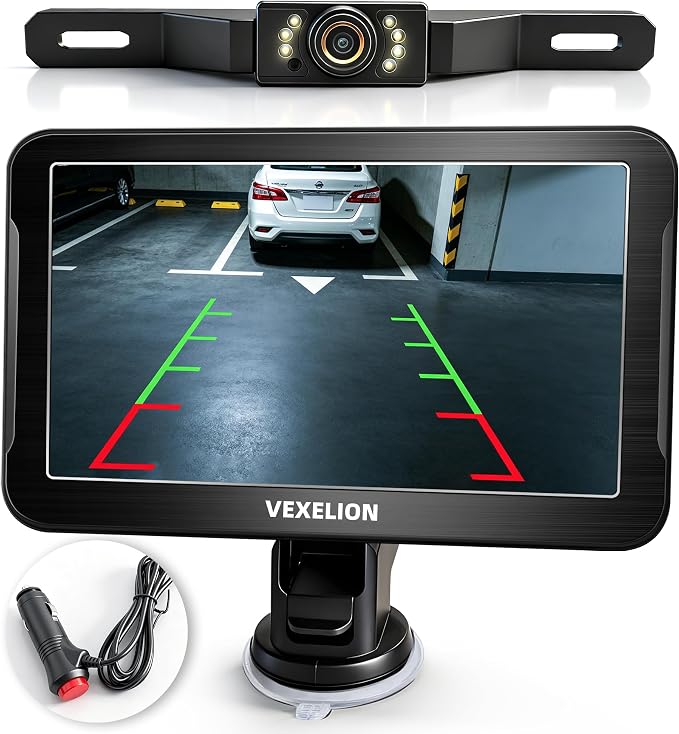
Crystal-clear 2K HD resolution stands out on this backup camera kit, making it ideal for those who want clear, reliable rear views while driving. It’s a great fit for anyone looking to upgrade their vehicle with a large 7-inch monitor and straightforward installation.
Setup is surprisingly simple with just one cable connecting the camera to the monitor. The plug-and-play design means it takes less than 15 minutes, which is a huge plus for anyone not keen on complicated wiring. Using the monitor day-to-day delivers sharp, vibrant images, and the 170-degree field of view covers a wide area behind the vehicle without noticeable distortion.
Performance lives up to the 2 MP sensor and 1440p video capture resolution, delivering crisp and detailed visuals when reversing. Build quality is solid with power and RCA connectors that feel durable. The biggest praise is the clarity of the picture, while the main complaint is that the monitor size might feel a bit large for some dashboards.
Most users praise the sharp and vibrant image quality provided by the 2K HD sensor, making reversing safer and easier. However, some find the 7-inch monitor a bit too large, which can feel bulky depending on the vehicle’s interior space.
Anyone wanting a clear, simple backup view with easy installation will appreciate this kit. Those with smaller dashboard areas or who prefer a less noticeable monitor might want to consider other models with more compact screens.
Pros
- True 2K HD image quality
- Quick, under 15-minute installation
- Large 7-inch monitor for clear visibility
- Wide 170-degree field of view
Cons
- Monitor size may not fit all dashboards
- Requires power and RCA connections
| Specification | Details |
|---|---|
| Screen Size | 7 inches |
| Compatible Devices | car |
| Connector Type | Power Connector, RCA |
| Field Of View | 170 degrees |
| Effective Still Resolution | 2 mp |
| Video Capture Resolution | 1440p |
6. HD 1080P Wireless Backup Camera for Truck
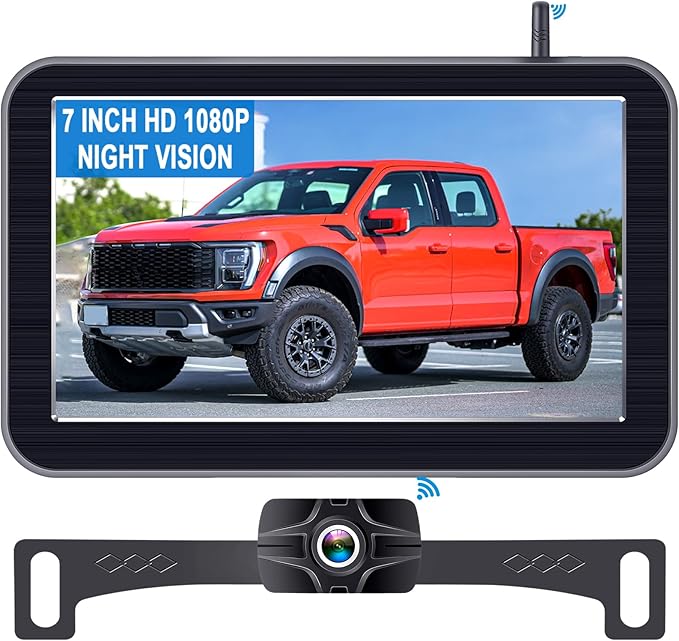
Drivers of pickup trucks needing an easy-to-install backup camera with clear visuals will find this wireless HD 1080P system a solid option. Its biggest strength lies in quick setup and wireless connectivity, perfect for busy schedules without fussing over complicated wiring.
Installation is straightforward, taking about 15 minutes by powering the monitor directly from the vehicle and wiring the camera to a power source like the reverse light. The wireless Bluetooth connection between monitor and camera works right out of the box without needing pairing, making daily use practical and convenient when reversing or parking.
The camera delivers sharp 1080p HD video with a wide 150-degree viewing angle, ensuring good visibility behind the truck. Its build fits most standard pickup license plates well.
The main praise is how easy installation and clear image quality are, while some note the wired power for the camera can be tricky depending on vehicle wiring access.
The ease of installation and sharp video quality stand out as major advantages. The common complaint revolves around routing the wired power connection for the camera, which can be challenging depending on your truck’s wiring layout.
People looking for a simple, wireless backup camera solution on a compatible pickup will appreciate this system. Those wanting a fully wireless camera and monitor setup without any power wires might prefer to consider other options.
Pros
- Quick 15-minute installation with no complex wiring
- Clear HD 1080p image quality for reversing
- Pre-paired wireless connection saves setup time
- Wide 150-degree viewing angle for better coverage
Cons
- Camera power wire may be difficult to route neatly
- Monitor power source requires direct vehicle connection
| Specification | Details |
|---|---|
| Screen Size | 7 inches |
| Field Of View | 150 degrees |
| Video Capture Resolution | 1080p |
| Connector Type | Wireless (Bluetooth) |
| Compatible Devices | Most pickup trucks with standard license-plate mounting |
| Voltage | 12 volts |
7. Flush Mount Backup Camera 170° Wide Angle

Flush Mount Backup Camera 170° Wide Angle stands out with its super wide 170-degree view and advanced lens technology, ideal for drivers needing clear visibility while backing up. It suits cars, mini-trucks, and mini-vans, offering reliable imaging even in low-light or bright conditions.
Installation is straightforward thanks to the RCA connector and compatibility with 24-volt systems. Daily use reveals a sharp and wide field of vision, making parking or reversing safer. The small 18.5-millimeter screen size keeps the camera discreet, while the low 0.1 lux rating helps maintain visibility at night or in shadowy areas.
Image quality is impressive given the 960×576 pixel resolution, providing a realistic and consistent view through a CMOS sensor and a full-glass lens system. The metal housing and IP69 waterproof rating ensure durability under tough weather, though some users note the video format (AVI or MOV) may need conversion for certain devices.
Most praise focuses on the camera’s outstanding waterproofing and clear image quality, making reversing safer. Common feedback mentions the AVI and MOV video formats needing extra steps for wider compatibility.
Those requiring a rugged, wide-angle backup camera with strong performance in various light conditions will appreciate this device. Drivers needing higher resolution or more plug-and-play video format support may want to explore alternatives.
Pros
- Wide 170-degree viewing angle for maximum visibility
- High water resistance with IP69 rating
- Sharp, realistic images in bright or dark conditions
- Compact 18.5mm screen size for flush mounting
Cons
- Video formats require conversion for some devices
- Resolution lower than full HD cameras
| Specification | Details |
|---|---|
| Voltage | 24 volts |
| Lens | Wide Angle |
| Real Angle of View | 170 degrees |
| Video Capture Resolution | 960×576 Pixels |
| Display Technology | LCD |
| LUX rating | 0.1 lux |
8. Camecho Vehicle Backup Camera 170° Wide Angle

Camecho Vehicle Backup Camera 170° Wide Angle suits drivers looking to eliminate blind spots while parking or reversing. Its biggest strength lies in offering a wide 170-degree view combined with LED night vision, making it helpful for safety around kids and pets at any time of day.
Setup involves connecting it to a 12V power supply and a monitor via an RCA video cable, which fits most vehicles. The camera angle can be adjusted to suit your parking needs.
With waterproof design and 12 night vision LEDs, it performs reliably even on rainy days or during nighttime drives, providing clear visual aids when backing up.
Performance-wise, the camera delivers a 480 lines per inch resolution and a 420 video capture resolution, providing clear color images through its CMOS sensor. Its build withstands harsh weather, praised for reliability under storms. The main complaint involves the small 0.25-inch screen size on compatible monitors, which limits overall viewing area for some users.
Strong praise highlights reliable image clarity and effective blind spot coverage, especially with the night vision LEDs during nighttime or poor weather. The common complaint centers on a small screen size that some find limiting for detailed viewing.
Drivers needing a dependable backup camera for varied conditions will appreciate this product’s features. Those who want a larger display or higher video resolution might want to explore other options.
Pros
- Wide 170-degree viewing angle for better visibility
- 12 LED night vision lights for clear images in darkness
- Waterproof design works well in rainy conditions
- Universal mounting fits many vehicle types
Cons
- Screen size is only 0.25 inches, quite small
- Video resolution at 420 is moderate but not very sharp
| Specification | Details |
|---|---|
| Real Angle of View | 170 degrees |
| Voltage | 12 volts |
| Effective Still Resolution | 480 lines_per_inch |
| Video Capture Resolution | 420 |
| Lens | Wide Angle |
| Optical Sensor Technology | CMOS |
9. HD Backup License Plate Rear View Camera

Seeing clearly behind your car makes backing up less stressful, especially when parking tight or reversing in low light. Perfect for anyone looking for a backup camera that handles bright days and dark nights well, its biggest strength lies in the clear, stable image it delivers thanks to its advanced sensor and lens design.
Installation is straightforward as long as your car screen supports an RCA connection. The camera connects with a pure copper shielded cable that keeps the video signal strong without flickering or interference. Daily use feels safe with the wide 170-degree fisheye lens giving a broad view of the area behind your vehicle, helping avoid blind spots.
The camera’s wired design means it stays reliably connected without worrying about battery life or wireless hassles.
Sharp image quality stands out, even in challenging lighting conditions, thanks to the CMOS sensor and noise reduction technology. The build looks durable and waterproof, suited to withstand weather changes.
The best feature praised is its stable image signal, while the main complaint involves compatibility issues with some car screens lacking an RCA input.
The camera delivers constant, clear video even under bright sunlight or in shadows, making reversing safer. Many users find the image stability excellent, though some face issues if their in-car display lacks an RCA connector, restricting its use. Weatherproofing ensures it holds up well over time without frequent worries about damage.
Ideal for drivers whose vehicles have RCA-compatible screens and who don’t mind a wired connection. A better option is needed for those with newer cars relying on wireless or different input styles. Also suits anyone wanting straightforward functionality over the latest tech features.
Pros
- Bright, clear images in various light settings
- Stable signal transmission with shielded copper cable
- Wide 170-degree field of view
- Waterproof and durable build
Cons
- Requires RCA interface, limits compatibility
- Wired setup may take more installation time
| Specification | Details |
|---|---|
| Compatible Devices | Car screen with RCA interface |
| Voltage | 12 volts |
| Optical Sensor Technology | CMOS |
| Lens | Fisheye |
| Real Angle of View | 170 degrees |
| Video Capture Resolution | 1080p |
10. IP69K Waterproof Backup and Front View Camera

Great for anyone needing a backup camera that holds up well in tough weather, this camera’s biggest strength lies in its waterproof design. It offers a solid, metal housing and a wide view that makes seeing behind your vehicle safer and easier, especially in fog or rain.
Setup requires buying a separate harness for factory radios or screens, which is worth knowing before you start. Once installed with the right connector, it plugs into any unit with an RCA input.
The wide 135-degree lens really helps spot blind spots when reversing. Its compact size fits nicely without drawing much attention, and daily use involves just watching the clear HD image to help with parking.
It performs well in its main job with 720p video and a clear image sensor, making backing up straightforward. The metal body feels durable and well-made.
Most people say water really doesn’t seep inside thanks to the sealed glue filling, but a common complaint is needing to get an extra harness to complete installation, which adds complexity.
Water resistance is a strong point because the fully sealed glue filling keeps out moisture and fog, making this camera reliable in bad weather. The most common drawback is the need for an extra harness to connect it to many factory radios, which can be a hassle during installation.
Anyone wanting a tough, weatherproof backup camera with wide coverage will appreciate this unit, especially for aftermarket stereo setups. People needing an easy, all-in-one kit for factory systems might want to look elsewhere due to the extra wiring required.
Pros
- Strong waterproof, sealed glue design
- Wide 135-degree viewing angle
- Compact metal housing, OEM style
- Compatible with many popular stereo brands
Cons
- Separate harness needed for many installations
- 576 pixel resolution still image only
| Specification | Details |
|---|---|
| Voltage | 12 volts |
| Field Of View | 135 degrees |
| Video Capture Resolution | 720p |
| Connector Type | RCA |
| Optical Sensor Technology | CMOS |
11. WOLFBOX G840S 12 4K Mirror Dash Cam Backup Camera

Plastic and glass combine in a 12-inch mirror dash cam designed for drivers who want both front and rear coverage with high clarity. Its biggest strength is the 4K UHD front camera paired with a large display that covers more area than a standard mirror, making it ideal for those focused on road safety and reducing blind spots.
Setting up uses a USB connection and involves attaching the unit over your existing rearview mirror. Daily use is made easier by a touch screen that controls real-time viewing and playback through a Wi-Fi connection to your phone using the WOLFBOX app. GPS tracking comes via an external antenna, showing your position directly on the screen for convenient monitoring during drives.
The front camera captures sharp 2160p video, and the rear camera shoots in 1080p, allowing you to see clear details in both directions. The build feels solid, with the supercapacitor adding reliability for parking monitoring and loop recording. Most praise focuses on the large screen size and clear display, while some remarks mention the occasional difficulty in aligning the mirror mount perfectly.
The large screen and high-resolution front camera receive consistent praise for improving visibility around the vehicle. Common complaints include challenges with mounting alignment and the lower resolution of the rear camera compared to the front.
Those who prioritize front camera quality and a bigger display will appreciate this device. People needing higher resolution for rear coverage or easier mirror installation might prefer other options.
Pros
- Crystal clear 4K front camera
- Large 12-inch touch screen display
- Real-time GPS tracking on screen
- Easy Wi-Fi connection to smartphones
Cons
- Mounting alignment can be tricky
- Rear camera limited to 1080p resolution
| Specification | Details |
|---|---|
| Video Capture Resolution | 2160p |
| Screen Size | 12″ |
| Field Of View | 170 degrees |
| Connectivity Technology | USB |
| Built-In Features | GPS, Speaker, Supercapacitor, G-Sensor |
12. HD Night Vision License Plate Rear and Front Camera

Crystal-clear image quality stands out right from the start, making it a solid backup camera choice for anyone needing daytime and nighttime clarity. Its flexible installation options allow you to mount it on the front or rear of your vehicle, catering well to different parking and driving scenarios.
Setup is straightforward, especially with the option to turn guide lines on or off depending on your preference. You need to restart your radio after cutting wire loops to get the image aligned correctly, which is a quick extra step.
Daily use feels safe thanks to the wide 149-degree field of view that captures a broad area behind or in front of the car, and the nine LED lights automatically adjust to lighting conditions, so visibility stays consistent.
Performance-wise, the HD true color image at 960×576 resolution ensures you see details clearly whether parked in bright daylight or low light conditions. The camera’s glass lens and upgraded chips contribute to solid durability and image sharpness.
A common drawback is the additional step of restarting the radio after wiring adjustments, which can confuse users who don’t read instructions carefully. It holds up well under regular use and improves backup safety significantly.
The camera delivers excellent true color images in both day and night settings thanks to its upgraded chips and glass lens. The most frequent issue users face is remembering to restart the radio after cutting the wire loops for the guide lines, as missing this step causes the image to misalign.
Drivers looking for clear visibility and the option to mount the camera either front or back will appreciate this product. Those needing higher resolution or a simpler setup might want to explore other options without the radio restart step.
Pros
- Good night vision with 9 automatic LEDs
- Switchable guide lines on and off
- Flexible front or rear mounting options
- Wide 149-degree viewing angle
Cons
- Requires radio restart after wiring changes
- Image resolution limited to 960×576
| Specification | Details |
|---|---|
| Screen Size | 4 inches |
| Compatible Devices | 12V cars |
| Field Of View | 149 degrees |
| Lens | Wide Angle |
| Video Capture Resolution | 960×576 |
| Voltage | 12 volts |
Best Add on Backup Cameras Comparison Table
| Product | Screen Size | Field Of View | Resolution | Connector Type |
|---|---|---|---|---|
| HD 1080P Backup Camera | 4.3 inches | 149 degrees | 1080p | 4 Pin |
| AHD PMD2A-S Rearview Camera | 0.33 inches | 170 degrees | 2073600 pixels | RCA |
| Wireless 1080P Backup Camera | 7 inches | 170 degrees | 1080p | USB |
| YIMU K4302 Backup System | 4.3 inches | 150 degrees | 720p | RCA |
| 2K Backup Kit with Monitor | 7 inches | 170 degrees | 1440p | Power, RCA |
| Wireless 1080P Truck Camera | 7 inches | – | 1080p (assumed) | – |
| Flush Mount 170° Backup Camera | 18.5 mm | 170 degrees | – | RCA |
| Camecho 170° Backup Camera | 0.25 inches | 170 degrees | 480 lines/inch | RCA |
| License Plate HD Backup Camera | – | 170 degrees | 1080 pixels | RCA |
| IP69K Waterproof Front & Backup | – | 135 degrees | – | RCA |
| WOLFBOX G840S 4K Dash Cam | – | – | 4K | USB |
| HD Night Vision License Plate | 4 inches | 149 degrees | 960 pixels | RCA |
- Screen Size4.3 inches
- Field Of View149 degrees
- Resolution1080p
- Connector Type4 Pin
- Screen Size0.33 inches
- Field Of View170 degrees
- Resolution2073600 pixels
- Connector TypeRCA
- Screen Size7 inches
- Field Of View170 degrees
- Resolution1080p
- Connector TypeUSB
- Screen Size4.3 inches
- Field Of View150 degrees
- Resolution720p
- Connector TypeRCA
- Screen Size7 inches
- Field Of View170 degrees
- Resolution1440p
- Connector TypePower, RCA
- Screen Size7 inches
- Field Of View–
- Resolution1080p (assumed)
- Connector Type–
- Screen Size18.5 mm
- Field Of View170 degrees
- Resolution–
- Connector TypeRCA
- Screen Size0.25 inches
- Field Of View170 degrees
- Resolution480 lines/inch
- Connector TypeRCA
- Screen Size–
- Field Of View170 degrees
- Resolution1080 pixels
- Connector TypeRCA
- Screen Size–
- Field Of View135 degrees
- Resolution–
- Connector TypeRCA
- Screen Size–
- Field Of View–
- Resolution4K
- Connector TypeUSB
- Screen Size4 inches
- Field Of View149 degrees
- Resolution960 pixels
- Connector TypeRCA
How to Choose the Right Backup Camera Add On
Choosing the right backup camera add on depends on factors like video quality, ease of installation, and compatibility with your vehicle. Prioritizing these features ensures clear visibility and reliable performance, helping you avoid costly replacements and frustrating repairs down the road.
Compatibility with Vehicle
Attaching a backup camera that doesn’t fit your vehicle can cause more headaches than benefits. Some cameras just won’t align with the mounting points or struggle to connect to the existing display or smartphone app.
After trying a few, it’s clear that compatibility is crucial for a smooth experience.
Many models specify which makes and models they support, so checking this before purchase saves a lot of trial and error. Connection types vary: some use wired hookups that integrate directly with factory screens, while others rely on wireless connections to an app. Pick a camera type matching the vehicle’s setup, wired for native displays, wireless for added flexibility.
Otherwise, installation and daily use can become frustrating.
Image Quality and Field of View
Grainy or narrow images on backup cameras can create safety risks instead of preventing them. Cameras with a resolution of at least 720p usually provide enough detail to see obstacles clearly.
A wider field of view helps cover blind spots and makes parking easier, with 120 to 170 degrees being common and effective angles.
Nighttime performance matters since many backups happen in low light. Cameras with infrared LEDs or good low-light sensors improve visibility after dark, reducing surprises behind the vehicle. Prioritizing devices with solid image clarity and broad angles ensures practical daily use and better overall safety.
Installation and Setup
Installing some backup cameras can turn into a weekend project involving drilling and complex wiring. Cameras that use adhesive mounting avoid damaging the vehicle and speed up the process.
Simple plug-and-play models drastically cut installation time.
Connecting the camera to either a built-in display or smartphone also varies: some require running cables through the vehicle body, while others connect via Wi-Fi or Bluetooth. Cameras designed for easy setup, ideally with straightforward instructions and included mounting hardware, reduce the chances of installation errors or having to visit a shop for help.
Durability and Weather Resistance
Backup cameras spend their days exposed to sun, rain, dirt, and freezing temperatures. A cheap camera without solid weather sealing can fail within months.
Cameras rated IP67 or above provide strong protection against dust and immersion in water, making them reliable in harsh conditions.
Besides ratings, materials matter. Cameras built with metal or high-grade plastics withstand temperature swings and UV rays better than cheaper options.
Durable construction means fewer replacements and consistent performance over time, which is important given how often these cameras face the elements.
Power Source and Connectivity
Many cameras draw power from the vehicle’s electrical system, which means they work automatically when the vehicle is on. Battery-powered models offer more flexibility but require regular replacements or recharging, which can be inconvenient. Understanding this distinction is key to matching the camera with your needs.
Wireless models can suffer from interference affecting video quality. Reliable brands often use strong, interference-resistant signals, reducing dropouts. Consider power consumption especially if connecting to a vehicle’s battery; low drain reduces the risk of running down the battery during long stops.
Optimizing Installation for Maximum Camera Performance
Location plays a crucial role in the effectiveness of an add-on backup camera. Mounting it too high or too low can create blind spots or distort the view.
Choosing the right spot means placing the camera near the license plate or rear bumper to capture a clear, wide-angle view of the area behind the vehicle.
Wiring also requires attention. Routing cables through existing grommets or gaps in the vehicle body helps prevent damage and keeps the installation neat.
- Secure connections using waterproof connectors to avoid short circuits caused by moisture.
- Adjust the camera angle after installation to reduce glare and maximize the field of vision.
- Test the display in various lighting conditions to ensure visibility during both day and night.
Following these steps optimizes the camera’s performance and provides reliable rear visibility.
Essential Maintenance Tips to Extend Your Backup Camera’s Lifespan
Regular upkeep can significantly extend the life of an add-on backup camera. Dirt and grime often accumulate on the lens, which reduces image clarity.
Cleaning the camera lens with a soft, damp cloth prevents scratches and keeps the view sharp.
- Check mounting brackets periodically to ensure they remain tight and properly aligned.
- Inspect wiring connections for signs of wear, fraying, or corrosion, especially after exposure to harsh weather.
- Use dielectric grease on electrical contacts to prevent moisture buildup.
Protecting the camera housing from prolonged exposure to direct sunlight and extreme temperatures can also prevent premature failure.
Routine maintenance keeps the camera functioning accurately and avoids costly repairs.
Comparing Add-On Backup Cameras with Factory-Installed Models
Factory-installed backup cameras typically integrate directly into the vehicle’s electrical system, maintaining a clean look without additional wires.
Add-on backup cameras offer flexibility, as they can be installed on older vehicles that lack built-in systems.
- Factory cameras typically come calibrated to work smoothly with the vehicle’s display, providing better synchronization.
- Add-on cameras might require separate monitors or adapters, which can increase complexity during installation.
- Video quality varies, with factory models often providing stable, high-resolution images tailored for the vehicle’s environment.
- Aftermarket options allow choice in camera features like wide-angle lenses, night vision, or wireless connectivity.
Assessing how the camera integrates with the vehicle and the required features can guide the decision between an add-on and factory system.
People Also Asked
How Do I Install an Add-On Backup Camera Properly?
Connect the camera to your vehicle’s reverse light wiring and mount it securely at the rear, usually near the license plate. Use waterproof connectors and test the camera view before finalizing the installation to avoid repositioning it later.
What Size Backup Camera Works Best for My Vehicle?
A compact camera with a wide viewing angle, typically around 120 degrees, fits most vehicles well. Smaller cameras are less noticeable but still offer enough coverage to see obstacles behind the vehicle.
Are Add-On Backup Cameras Safe to Use While Driving?
They are safe to use as long as you keep your eyes on the road and use the camera as a supplementary aid, not a primary focus. Avoid looking at the backup camera screen for long stretches while moving.
How Long Do Add-On Backup Cameras Typically Last?
Most add-on backup cameras last about 3 to 5 years depending on build quality and exposure to weather conditions. Regularly check connections and clean the lens to keep the image clear over time.
What Common Problems Do Add-On Backup Cameras Have?
Common problems include poor image quality in low light, loose wiring connections, and occasional signal interference. Securing cables properly and choosing a camera with night vision can reduce these issues.
Conclusion
Choosing an add-on backup camera comes down to image quality, ease of installation, and compatibility with your vehicle. Clear visuals make backing up safer and simpler. A camera that fits your specific make and model reduces installation time and fuss, while good connectivity ensures stable performance.
Consider how often you will use the backup camera and where you plan to install it before making a decision. Matching the camera to your budget and needs helps avoid overspending or ending up with features you don’t use.
Check the comparison table and the detailed reviews above to find the option that fits your situation best.